Home
» How To
»
How to Clean a PS5 Fan Without Taking It Apart: A Safe Beginner Guide
How to Clean a PS5 Fan Without Taking It Apart: A Safe Beginner Guide
If you want to clean a PS5 fan without taking the console apart, the most important thing to know is that you cannot directly reach or wipe the fan blades while the covers stay installed. What you can safely do is remove dust from the external air vents and improve airflow without opening the console. That is the beginner-friendly method covered here.
As of September 2026, PlayStation's published guidance says to disconnect the AC power cable before cleaning and use a low-powered vacuum cleaner to remove dust from the air vents. Sony's current PS5 instruction manuals also say to wipe exterior plastic with a soft, dry cloth and keep the console at least 10 cm (4 inches) away from a wall. For deeper dust trapped under the covers, Sony recommends removing the covers and vacuuming underneath, which is outside the strict no-disassembly method in this guide.
What “cleaning the fan without taking it apart” actually means
The cooling fan is the internal rotating fan that moves air through the PS5. A vent is an opening in the console housing that lets air enter or leave. If you keep every cover installed, you are cleaning the airflow path from the outside, not physically cleaning the fan blades themselves.
This distinction matters because exterior vent cleaning can remove loose dust that restricts airflow, but it cannot guarantee removal of dust stuck to the fan, heat sink, or internal channels. If your PS5 still overheats, displays a high-temperature warning, shuts down unexpectedly, or remains unusually noisy after the vents and surrounding area are cleaned, the next step is not to force tools deeper into the vents. Use the model-specific PlayStation instructions or contact support.
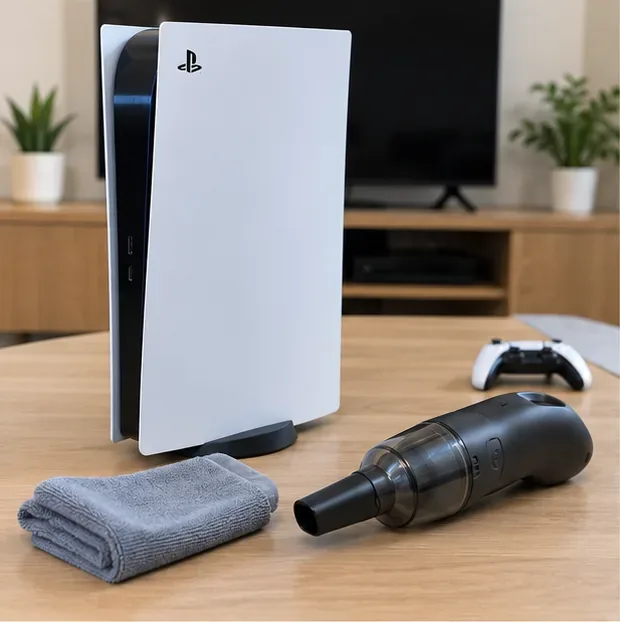
Prepare a soft, dry microfiber cloth and a small low-power handheld vacuum before you begin.
What you need before cleaning
A low-powered handheld vacuum with a narrow or soft brush-style nozzle.
A clean, soft, dry microfiber cloth.
A flat, stable surface with good lighting.
Enough time for the console to cool after shutdown.
You do not need screwdrivers, prying tools, liquid cleaner, alcohol, or compressed air for this no-disassembly routine. Sony's current care instructions specifically call for a soft, dry cloth on the exterior and a handheld vacuum for dust on the vents. They also advise against applying alcohol, benzene, paint thinner, insecticides, or chemically treated cloths to the console exterior.
How to clean a PS5 fan without taking the console apart
1. Turn the PS5 off completely
From the PS5 control center, choose Power > Turn Off PS5. Do not start cleaning while the console is in Rest Mode. Wait until the power indicator has stopped blinking and is fully off.
This is different from simply turning off the TV or letting the console sleep. A fully powered-off console is the correct starting point for unplugging and cleaning.
2. Unplug the AC power cable and other cables
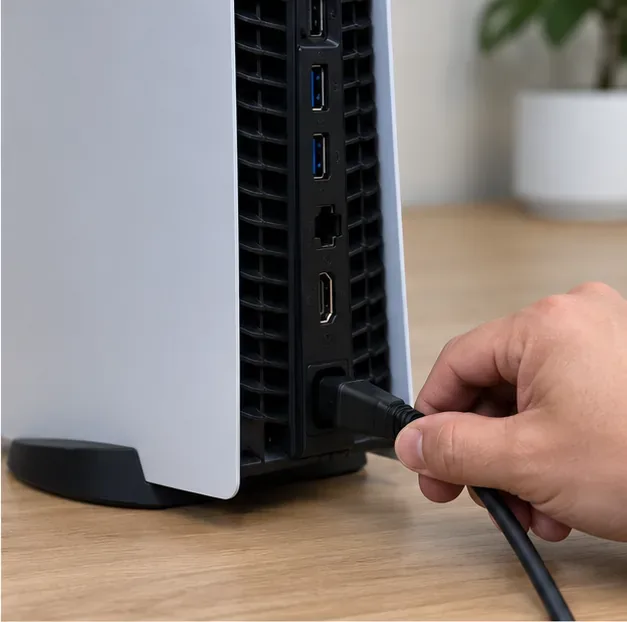
Disconnect the AC power cable from the console and remove HDMI, Ethernet, USB, and other attached cables as needed so you can reach the vents without pulling or twisting connectors. Hold plugs by the plug body rather than yanking on the cable.
Disconnect the AC power cable before cleaning; the console should be fully off and unplugged.
3. Let the console cool and move it to a stable work area
If the PS5 was just used, give it time to cool before handling it. Put it on a firm, clean surface where you can comfortably reach the side and rear vents. Do not place it on a deep-pile carpet, blanket, bed, or other soft material that can hold dust and block airflow.
Let the unplugged console cool on a stable, open surface before you start vacuuming the vents.
4. Identify the vents instead of aiming at the plastic covers
Look for the dark slotted or grille-like openings around the console. Those openings are the target. The white exterior plates themselves do not need vacuuming; they only need a dry wipe if dusty.
PS5 layouts differ across model groups, including CFI-1000 and newer CFI-2000/2100/7000 designs. If you are unsure which openings are vents on your unit, check the part diagrams in the official PS5 support page rather than inserting a tool into an unfamiliar opening.
Common mistake to avoid: vacuuming the solid plastic panel. Move the nozzle to the adjacent vent opening where dust actually accumulates.
5. Vacuum loose dust from the side and upper vent openings
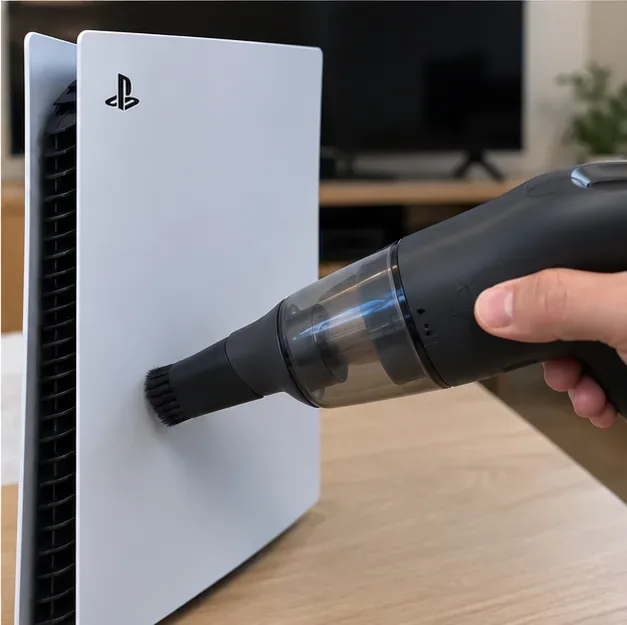
Set the handheld vacuum to a low-power setting. Move the nozzle slowly along the visible vent openings, keeping the covers installed. The goal is to lift loose dust from the vent area, not to push the nozzle inside the console.
Work in short passes. If the nozzle has a soft brush attachment, use it gently at the vent surface. Do not force bristles, sticks, cotton swabs, or other objects deep through the grille.
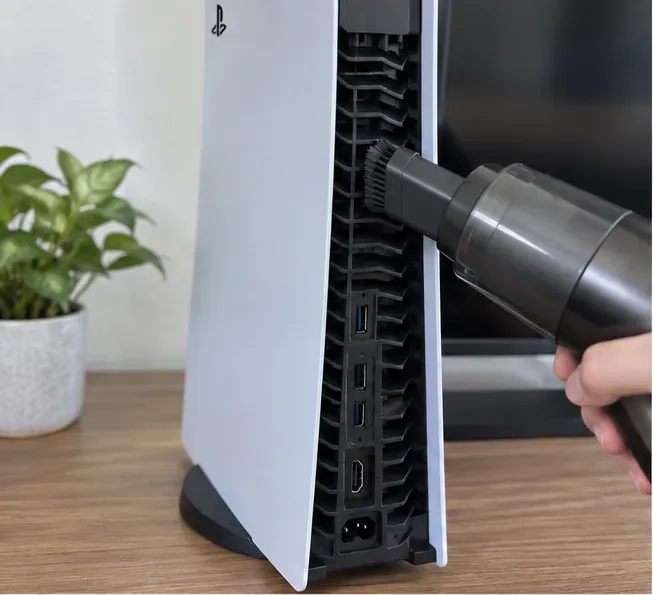
6. Vacuum the rear vents
Repeat the same process at the rear ventilation openings. Keep the vacuum nozzle at the vent surface and work from top to bottom. Be careful around the ports and connectors; do not scrape them with the vacuum nozzle.
PlayStation's support guidance for fan noise specifically recommends a low-powered vacuum to remove dust that has accumulated in and around the air vents. That makes this the best-documented no-disassembly cleaning method for a beginner.
Use low suction on the rear vent grille while the console remains closed; avoid scraping nearby connectors.
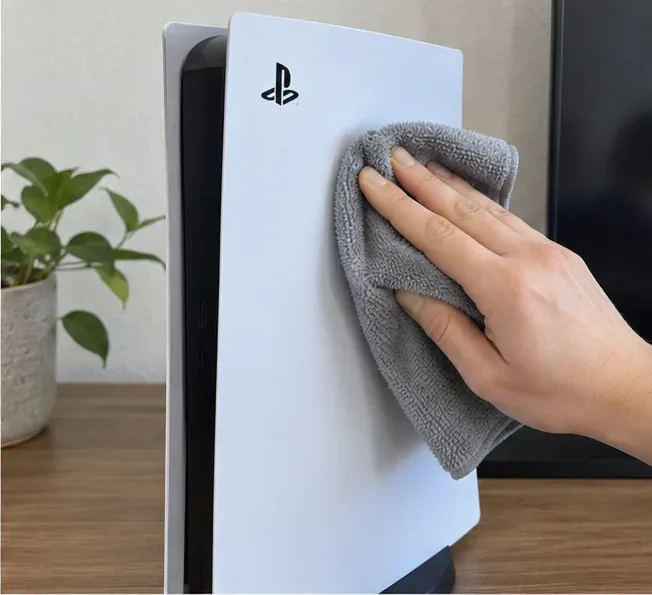
7. Wipe the exterior with a soft, dry cloth
After vacuuming, wipe dust from the white plastic exterior with a soft, dry cloth. Do not spray cleaner onto the console. Sony's instruction manual says not to apply volatile substances such as alcohol, benzene, or paint thinner and not to use chemically treated cloths on the exterior.
Use a soft, dry microfiber cloth for the exterior plastic after the vent dust has been vacuumed away.
8. Clean the surrounding area and restore airflow clearance
Dust on the shelf, TV stand, or floor around the PS5 can quickly return to the vents. Wipe or vacuum the surrounding area before putting the console back. Keep the vents unobstructed and leave at least 10 cm (4 inches) of space between the console and a wall or other large surface, following Sony's current ventilation guidance.
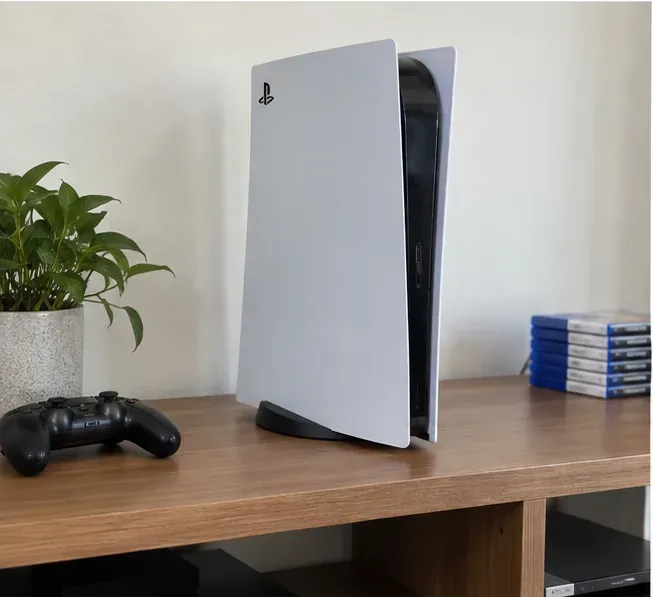
Avoid cramped cabinets, thick carpet, cloth covers, or objects pressed against the console. Good placement is part of cleaning because it reduces how quickly dust and heat become a problem again.
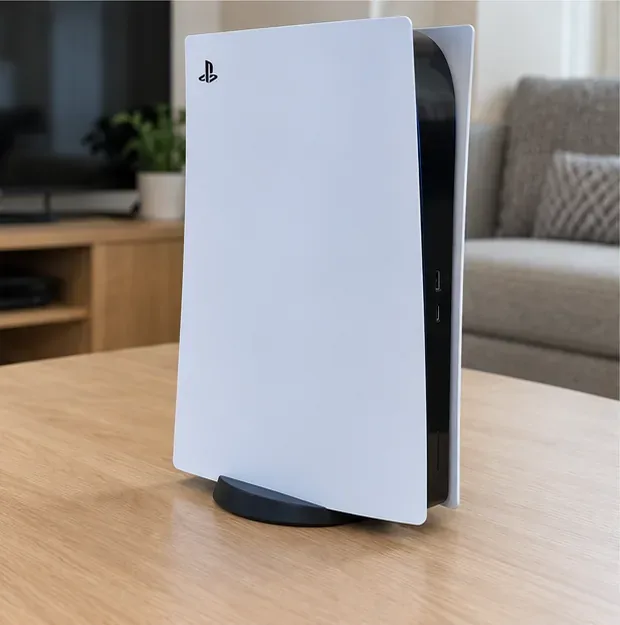
Return the PS5 to an open, uncluttered location with generous clearance around the ventilation areas.
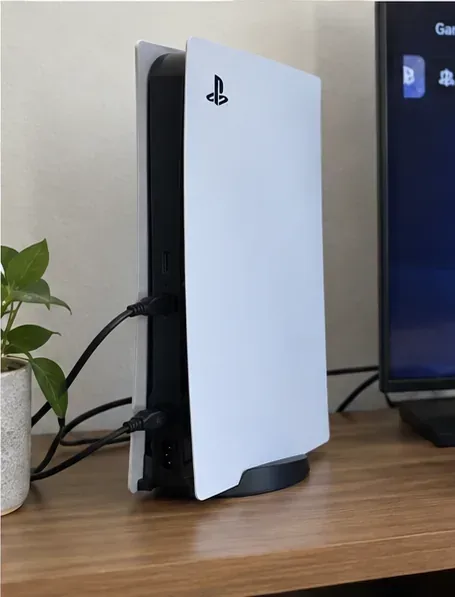
9. Reconnect the cables and check the result
Once the console is dry, cool, and back in its normal position, reconnect the cables and power it on. Listen during the same game or workload that made you notice the fan before cleaning.
A quieter fan can be a useful sign, but do not expect the PS5 to be silent. PlayStation notes that the cooling fan may temporarily run faster during some games and applications, and that can be normal. The more important checks are that vents are unobstructed, the console is not showing an overheating warning, and it is not shutting itself down from heat.
After cleaning, reconnect the console only after it is back in a clear, well-ventilated position.
Mistakes beginners should avoid
Mistake
Why to avoid it
Better action
Cleaning while the PS5 is powered or in Rest Mode
The console is still energized.
Turn it off completely, wait for the light to go out, then unplug it.
Trying to reach the fan blades through a vent
You cannot see or control what the tool is contacting inside.
Vacuum only at the external vent openings.
Using liquid cleaner or alcohol on the exterior
Sony's manual advises against alcohol and other volatile substances on the plastic surfaces.
Use a soft, dry cloth.
Running a powerful vacuum at full suction
More suction is not required for routine surface dust removal.
Use a low-powered handheld vacuum and short passes.
Assuming vent cleaning equals a full internal cleaning
Dust can remain under the covers, on the fan, or deeper in the cooling path.
If symptoms persist, follow Sony's deeper-cleaning or service guidance.
Putting the PS5 back in a cramped or dusty spot
Poor airflow can make heat and dust problems return quickly.
Keep at least 10 cm of clearance and avoid thick carpet or enclosed spaces.
Should you use compressed air?
For a beginner following a strict no-disassembly method, a low-powered vacuum is the clearer choice because that is what PlayStation's current support guidance explicitly recommends for dust around the vents. The cited Sony cleaning instructions do not require compressed air for routine vent cleaning.
If you already use compressed air for electronics, remember that this guide is intentionally limited to the documented external-cleaning approach. Do not treat compressed air as a substitute for direct fan access or assume it will remove internal dust that you cannot see.
When exterior cleaning is not enough
If your PS5 continues to show high-temperature warnings, shuts down during play, produces an abnormal smell, becomes excessively hot to the touch, or has a persistent mechanical noise, stop treating it as a simple dust-on-the-vents problem.
Sony's manuals state that there are no user-serviceable components inside the console enclosure and advise against disassembling or modifying the product. Sony also recommends removing the covers for a deeper maintenance vacuuming step, but that is a different procedure from the no-disassembly method here. If you decide you need that deeper clean, use the exact instructions for your model rather than following a generic teardown video.
How often should you clean the vents?
Sony does not publish one universal cleaning interval that fits every home. Dust buildup depends on the room, pets, smoke, carpet, airflow, and how often the console runs. A practical approach is to inspect the vents periodically and clean them when you can see dust beginning to collect.
If your room is dusty or the console sits near the floor, inspect it more often. If the vents stay visibly clean and the PS5 has plenty of open airflow, there is no need to vacuum it on an arbitrary weekly schedule.
Quick result check
The side and rear vents should look visibly clearer.
No cloth, wall, carpet, or object should block the vents.
The console should have at least 10 cm (4 inches) of breathing room from a wall surface.
The PS5 should start normally after reconnecting.
A louder fan during demanding games can still be normal.
Overheating warnings, unexpected shutdowns, abnormal smells, or unusual mechanical noises mean you should move beyond routine exterior cleaning and use PlayStation support.
The US/Canada CFI-21XX instruction manual also contains the care instructions cited above, including the soft dry cloth, handheld vacuum, 10 cm clearance, and no-alcohol guidance: official PlayStation CFI-21XX PS5 instruction manual.