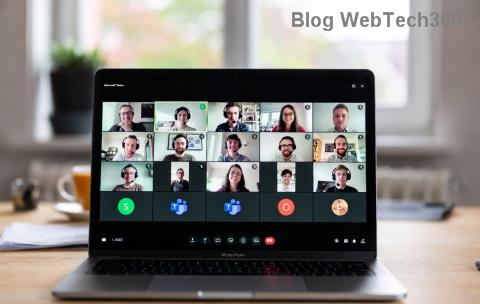
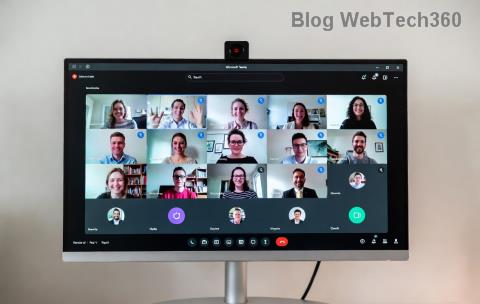
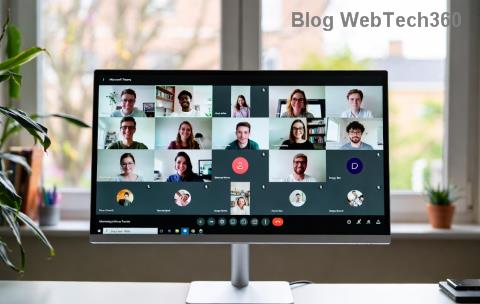
Master Microsoft Teams Breakout Rooms 2026: Step-by-Step Beginners Tutorial

🚀 Imagine transforming your next Microsoft Teams meeting from a monotonous monologue into interactive, focused discussions. That's the magic of Microsoft Teams Breakout Rooms! Perfect for workshops, classes, or team brainstorms, these virtual sub-rooms let participants dive deep into topics while you stay in control. In this 2026 beginner's tutorial, we'll guide you through every step with crystal-clear instructions, ensuring you host flawless sessions from day one. Ready to level up your meetings? Let's dive in!

What Are Microsoft Teams Breakout Rooms and Why Use Them?

Breakout Rooms in Microsoft Teams are like splitting your big meeting into smaller, private chat spaces. Hosts create them during a live meeting, assign participants automatically or manually, and everyone collaborates seamlessly.

  • 👥 Boost Engagement: Small groups foster lively debates and idea-sharing.
  • 📚 Ideal for Learning: Teachers love them for group projects.
  • 💼 Team Efficiency: Managers use them for focused brainstorming.
  • ⏱️ Time-Saver: Rotate rooms or bring everyone back effortlessly.

In the latest 2026 updates, Teams Breakout Rooms now support enhanced features like co-host assignments, timed sessions, and AI-suggested room topics—making them more powerful than ever.

Prerequisites for Using Microsoft Teams Breakout Rooms

Before jumping in, ensure you're set up:

Requirement Details
Account Type Teams license with meeting host privileges (free or paid plans work)
App Version Latest Microsoft Teams desktop, web, or mobile (2026 build)
Meeting Setup Schedule or start a meeting with 2+ participants
Permissions Host or co-organizer role required

Pro Tip: Update Teams via the app's profile menu to access all 2026 features. No premium add-ons needed!

Step-by-Step: How to Create Breakout Rooms in Microsoft Teams

Follow these numbered steps during a live meeting. It's as easy as 1-2-3!

  1. Start Your Meeting: Launch or join a Teams meeting. Ensure you're the host.
  2. Open Breakout Rooms: Click the Breakout rooms button in the meeting toolbar (looks like a grid icon). If missing, check your toolbar overflow menu.
  3. Configure Rooms:
    • Enter number of rooms (up to 50!)
    • Choose assignment: Automatically, Manually, or Let participants choose.
  4. Create and Assign: Hit Create. Drag participants to rooms manually or let auto-assign handle it. Rename rooms for clarity, e.g., "Group A: Marketing Ideas".
  5. Open Rooms: Click Open to send everyone in. You'll stay in the main room as the observer.

Visual Checkpoint: Your meeting participants list now shows room assignments clearly.

Managing Teams Breakout Rooms: Pro Controls for Hosts

Once rooms are open, you're the conductor! Here's how to keep things smooth:

  • Visit Rooms: Use the Breakout rooms window to join any room. Participants see you arrive.
  • Switch Participants: Drag-and-drop to move people between rooms—even mid-session.
  • Co-Host Magic: Assign co-hosts via More actions > Manage co-organizers for shared control.
  • Timers & Alerts: Set countdowns (new in 2026) to notify groups when time's up. Everyone gets a 5-minute warning!
  • Close All & Rec convene: Click Close all rooms to bring everyone back to the main session. Announce summaries for maximum impact.

Bonus: Enable Allow participants to return to main room so they can pop back anytime.

Best Practices for Epic Microsoft Teams Breakout Rooms Sessions

Make your sessions unforgettable with these tips:

  1. Plan Ahead: Pre-assign rooms when scheduling meetings via the Breakout rooms tab in meeting options.
  2. Set Clear Tasks: Share agendas or prompts in each room's chat before opening.
  3. Rotate for Variety: Use multiple rounds—e.g., Room 1 for ideation, Room 2 for feedback.
  4. Encourage Inclusivity: Mix groups by skill level or randomly for fresh perspectives.
  5. Record Strategically: Main room recordings capture everything; room chats save separately.

😊 Educators: Pair with Teams Whiteboard for collaborative drawing in rooms!

Common Issues & Quick Fixes for Breakout Rooms

Running into snags? We've got you:

  • Button Missing?: Update Teams or check if you're host. Mobile users: Use desktop for full controls.
  • Can't Assign?: Ensure 300+ participant limit isn't hit (rare for beginners).
  • Audio Glitches?: Remind users to mute/unmute per room.
  • Large Meetings?: Test with small groups first.

For official troubleshooting, visit Microsoft Teams Support.

Unlock Advanced 2026 Features in Teams Breakout Rooms

Go beyond basics:

  • AI Room Suggestions: Teams now auto-proposes rooms based on attendee roles.
  • Persistent Rooms: Reuse setups for recurring meetings.
  • Integration Boost: Link with PowerPoint Live or Loop for shared workspaces.

These elevate your sessions from good to great!

Wrap-Up: Host Like a Pro Today

Congratulations! You've mastered Microsoft Teams Breakout Rooms for 2026. Start small, experiment boldly, and watch engagement soar. Whether teaching a class or leading a team huddle, these tools make virtual magic happen. Got a session coming up? Practice now—your participants will thank you! 👏 Share your success stories in the comments below. What's your first Breakout Room use case?

Stay tuned for more Teams tips to supercharge your workflow.

Leave a Comment

Master Microsoft Teams Breakout Rooms 2026: Step-by-Step Beginners Tutorial

Master Microsoft Teams Breakout Rooms 2026: Step-by-Step Beginners Tutorial

Discover the ultimate Microsoft Teams Breakout Rooms tutorial for beginners in 2026. Learn to create, manage, and optimize breakout rooms for engaging meetings with easy steps and pro tips. Perfect for educators, teams, and hosts.

🚀 Ultimate Guide: How to Assign Participants to Breakout Rooms in Microsoft Teams Like a Pro

🚀 Ultimate Guide: How to Assign Participants to Breakout Rooms in Microsoft Teams Like a Pro

Master how to assign participants to breakout rooms in Microsoft Teams with step-by-step instructions, pre-assignment tips, and pro tricks for seamless virtual workshops. Boost engagement now!

Unlock Interactive Sessions: How to Create Breakout Rooms in Microsoft Teams Before a Meeting

Unlock Interactive Sessions: How to Create Breakout Rooms in Microsoft Teams Before a Meeting

Master how to create breakout rooms in Microsoft Teams before a meeting with this step-by-step guide. Boost engagement, assign participants effortlessly, and elevate your virtual meetings today!

Master Breakout Rooms in Microsoft Teams: 12 Proven Best Practices for Epic Virtual Collaboration

Master Breakout Rooms in Microsoft Teams: 12 Proven Best Practices for Epic Virtual Collaboration

Unlock the full potential of Breakout Rooms in Microsoft Teams with these best practices. From strategic planning to seamless management, boost engagement, productivity, and collaboration in your virtual meetings. Essential tips for teams, educators, and leaders.

Unlock Epic Engagement: How to Create Breakout Rooms in Microsoft Teams Meetings Like a Pro

Unlock Epic Engagement: How to Create Breakout Rooms in Microsoft Teams Meetings Like a Pro

Master how to create breakout rooms in Microsoft Teams meetings with this step-by-step guide. Boost collaboration, spark discussions, and elevate your virtual events effortlessly. Latest tips included!

🚀 Fix Microsoft Teams Code Error Redemption FAST: Ultimate Troubleshooting Guide

🚀 Fix Microsoft Teams Code Error Redemption FAST: Ultimate Troubleshooting Guide

Stuck with Microsoft Teams "Code Error" during code redemption? Discover proven, step-by-step troubleshooting fixes to resolve it instantly and redeem your codes smoothly. No tech skills needed!

Fix Microsoft Teams Test Call Video Error Instantly: Proven Troubleshooting Guide

Fix Microsoft Teams Test Call Video Error Instantly: Proven Troubleshooting Guide

Stuck with Microsoft Teams "Test Call" Video Error? Follow our step-by-step troubleshooting guide for quick fixes to restore your video feed. No tech skills needed!

🔧 Instant Fix: How to Resolve Microsoft Teams Media Error During Playback in 2026

🔧 Instant Fix: How to Resolve Microsoft Teams Media Error During Playback in 2026

Tired of Microsoft Teams media error during playback ruining your meetings? Follow our proven, step-by-step guide to fix audio and video glitches fast. No tech skills needed!

🚀 Ultimate Fix: Banish Microsoft Teams Proxy Error on Windows 10 in Minutes!

🚀 Ultimate Fix: Banish Microsoft Teams Proxy Error on Windows 10 in Minutes!

Struggling with Microsoft Teams proxy error on Windows 10? Discover proven, step-by-step fixes to restore seamless calls and chats. Quick solutions for proxy issues—no tech skills needed!

🚀 Instant Fix: How to Fix Microsoft Teams Web App Browser Error in 5 Minutes!

🚀 Instant Fix: How to Fix Microsoft Teams Web App Browser Error in 5 Minutes!

Tired of the frustrating Microsoft Teams "Web App" Browser Error? Discover proven, step-by-step solutions to get back to seamless meetings. Clear cache, disable extensions, and more—no tech skills needed!

Master Microsoft Teams for Business: Ultimate Complete Guide to Boost Productivity

Master Microsoft Teams for Business: Ultimate Complete Guide to Boost Productivity

Unlock the full potential of Microsoft Teams for business with this complete guide. Learn setup, collaboration, meetings, security, and pro tips to skyrocket your team's productivity. Start mastering Teams today!

🚀 Fix Microsoft Teams Error L License FAST: Proven Troubleshooting Steps

🚀 Fix Microsoft Teams Error L License FAST: Proven Troubleshooting Steps

Struggling with Microsoft Teams "Error L" License? Discover step-by-step troubleshooting for Microsoft Teams Error L, clear cache, check licenses, and more. Get back to seamless collaboration in minutes!

🚀 Instant Fix: Banish Microsoft Teams Win 7 Error Compatibility Woes Forever!

🚀 Instant Fix: Banish Microsoft Teams Win 7 Error Compatibility Woes Forever!

Tired of the frustrating Microsoft Teams Win 7 Error? Discover proven, step-by-step fixes for Microsoft Teams "Win 7 Error" compatibility on modern Windows. Get back to seamless teamwork in minutes!

🚀 Ultimate Guide: Fix Microsoft Teams Shortcut Desktop Error in Minutes – No Reinstall Needed!

🚀 Ultimate Guide: Fix Microsoft Teams Shortcut Desktop Error in Minutes – No Reinstall Needed!

Tired of the frustrating Microsoft Teams "Shortcut" Desktop Error blocking your workflow? Follow our proven, step-by-step fixes to restore your desktop shortcut instantly. Latest solutions for seamless Teams experience!

Fix Microsoft Teams Bị Lỗi in Minutes: Ultimate Troubleshooting Guide 2026

Fix Microsoft Teams Bị Lỗi in Minutes: Ultimate Troubleshooting Guide 2026

Tired of Microsoft Teams "Bị lỗi" ruining your meetings? Discover proven, step-by-step fixes in this complete troubleshooting guide. Resolve crashes, sign-in issues, and more for seamless collaboration.