How to Download Games to Your Xbox Remotely: 2026 Guide

Learn how to download games to your Xbox remotely in 2026, set up Sleep and remote features, choose the right console, and fix stalled installs.
You can play Fortnite on compatible Windows PCs, PlayStation and Xbox consoles, Nintendo Switch systems, Android phones and tablets, and supported iPhones and iPads. Cloud gaming also provides access on devices such as Macs, Chromebooks, and selected smart TVs. The key distinction is whether Fortnite runs directly on your device or streams from a remote computer.
Hypothetical example: Alex wants to join a friend who plays on PS5. Alex already has a Windows laptop, an Android phone, and a Nintendo Switch Lite. This illustrative situation shows how to choose a suitable device without assuming everyone needs the same hardware; it is not a report of a real person's experience or a performance test.
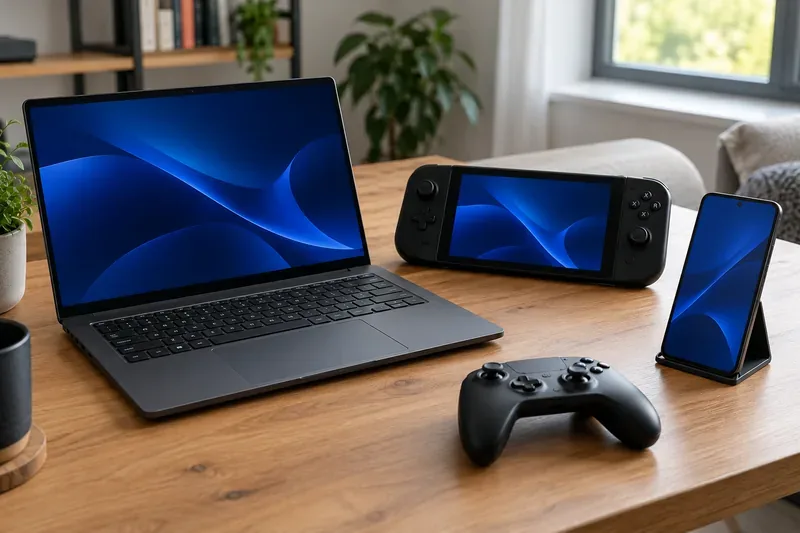
Compatibility information checked November 1, 2026. Store availability, cloud coverage, and minimum specifications can change.
Epic's official supported-platform list identifies the main devices for playing Fortnite directly. Mobile devices must also meet hardware requirements and have an available installation route.
| Device or platform | How you play | Main compatibility check |
|---|---|---|
| Windows desktop or laptop | Install the PC version | Supported Windows version, processor, graphics, and RAM |
| PlayStation | PS4, PS4 Slim, PS4 Pro, PS5, and PS5 Pro | Download the console version |
| Xbox | Xbox One, One S, One S All-Digital Edition, One X, and Series X|S | Download the console version |
| Nintendo | Nintendo Switch (including OLED), Switch Lite, and Switch 2 | Use the version intended for your system |
| Android phone or tablet | Native installation or supported cloud service | Android version, ARM64 processor, RAM, and GPU |
| iPhone or iPad | Native installation where available, or cloud gaming | Exact model, operating system, and region |
| Mac or Chromebook | Supported cloud service | Service coverage, browser or app support, and connection quality |
| Selected TVs and streaming devices | Compatible cloud-gaming app or service | Exact TV model or streaming-device support |
Alex's Switch Lite is on Epic's list, so the PS5-owning friend does not automatically create a need to buy another console. Nintendo also confirms that Fortnite online play does not require Nintendo Switch Online. Separate features, including Switch 2 GameChat, have their own membership requirements.
A laptop can run Fortnite if its specifications meet Epic's PC requirements. The word “laptop” alone tells you little about compatibility: two similarly sized computers can have very different graphics hardware.
Epic's PC requirements list a Core i3-3225 3.3 GHz processor, 8 GB RAM, and Intel HD 4000 or AMD Radeon Vega 8 graphics as minimum reference hardware. Its minimum operating-system listing specifies 64-bit Windows 10 version 22H2, or Windows 10 Enterprise version 21H2. Recommended specifications include 16 GB RAM, an NVMe SSD, and a GTX 960, Radeon R9 280, or equivalent DX11 GPU; the recommended OS listing includes Windows 10/11 64-bit.
For Alex, the useful comparison is the laptop's actual processor, graphics chip, RAM, and Windows version. Meeting the minimum is not a promise of high graphics settings or a particular frame rate. If the laptop falls short, checking a cloud service is a reasonable alternative before purchasing replacement hardware.
Epic's Android requirements currently specify:
The recommended configuration is more demanding, including Android 14 or later and at least 8 GB RAM. Alex therefore needs to check the exact phone model and chipset; having an Android phone with enough RAM does not by itself establish compatibility.
Epic's Android download page provides official routes through the Epic Games Store for mobile and Google Play. Use those links rather than an unofficial installer claiming universal device support.
Epic's dedicated iPhone and iPad page currently lists App Store availability except in Australia. The Epic Games Store offers another installation route in selected markets, including the EU; the available countries and iPad access differ, so check the page for your location.
Epic's iOS requirements page lists iOS 17.6.1 or later, at least 4 GB RAM, and iPhone 11 or newer, while explicitly excluding the second-generation iPhone SE. Its recommended list includes iPhone 14-series devices or newer and iPad 11th generation or newer.
Older Apple models need an individual check: Epic's support page and App Store listing do not present identical model and OS cutoffs. Do not treat the newer-model recommendations as a complete list of every supported iPad. Check the listing on the device before buying hardware for the game.
Yes, through a compatible cloud service where offered. Epic says Fortnite is not available as a native Mac game, but identifies Xbox Cloud Gaming, NVIDIA GeForce NOW, and Amazon Luna as alternatives.
Cloud gaming runs Fortnite remotely and sends video to your screen while returning your inputs. It reduces the need for local gaming hardware, but connection stability and latency become central to the experience. It is still subject to device, browser, controller, account, and regional requirements.
| Service | Examples from Epic's official guide | Access consideration |
|---|---|---|
| Xbox Cloud Gaming | iPhone/iPad through Safari, Android phones/tablets, Windows PC, and other compatible devices | Fortnite requires no paid Game Pass subscription; a Microsoft account is needed |
| NVIDIA GeForce NOW | Windows, Mac, mobile devices, Android TV, SHIELD TV, and selected Samsung/LG TVs | A free membership is offered where available; check local plans and limits |
| Amazon Luna | Windows, Mac, Chromebook, mobile devices, Fire tablets, Fire TV, and selected Samsung TVs | Epic lists Fortnite at no additional cost for Amazon Prime members in supported markets |
Review the official guides for Xbox Cloud Gaming, GeForce NOW, and Amazon Luna before choosing a service. A smart TV or Chromebook is not automatically compatible simply because it has internet access.
In the hypothetical example, Alex could try cloud access on the underpowered laptop if the service supports the location and device. That is an option to evaluate, not a guarantee of smooth play. Epic also states that Parallels and other virtualized or non-native OS configurations are unsupported; installing a Windows virtual machine on a Mac does not establish native Fortnite compatibility.
No. A device supporting Fortnite does not establish that every experience inside it is available. A concrete example is Save the World: Epic currently lists PC, PlayStation, Xbox, and Nintendo Switch 2, but excludes the original Switch, smartphones, and tablets.
For Alex, a Switch Lite may fit the plan to join a Battle Royale session, while Save the World requires a different supported platform. Check the specific experience you intend to play rather than relying solely on the general device list.
Fortnite supports playing with friends across platforms. Alex can add the PS5-owning friend using their Epic display name instead of choosing hardware solely to match the friend's console. Epic's friend-adding guidance explains the Epic friends system; crossplay permissions must allow the relevant connection.
Epic also confirms that items are shared across platforms linked to the same Epic account. Keep account linking consistent when changing devices. Purchased currency has separate rules: Nintendo Switch V-Bucks purchases are not shared with other platforms, even though items bought with V-Bucks are available across linked platforms.
Alex can now evaluate the existing laptop, phone, and Switch Lite against those checks. Apply the same approach to your own devices: identify a supported way to play first, then compare convenience, controls, and connection quality before spending money.
Learn how to download games to your Xbox remotely in 2026, set up Sleep and remote features, choose the right console, and fix stalled installs.
Fortnite lagging despite fast internet? Learn how to identify ping spikes, packet loss, FPS drops, shader stutter, and server issues—and what to try next.
Fix PS5 controller input lag on PC with a wired baseline, firmware updates, Bluetooth checks, Steam Input settings, and a repeatable response test.
Understand how Riot Vanguard anti-cheat works, why it uses a kernel driver, what On-Demand changes, and how privacy, security, and game access fit together.
Yes, Warzone is free to play. Learn what is included, which purchases and subscriptions are optional, and what platform limits to check before downloading.
Find the official VALORANT Mobile APK, check China-region availability, install it on Android, and understand how it differs from the Riot Mobile companion app.
Find out where you can play League of Legends, which PCs and Macs are supported, how Wild Rift differs, and what Xbox, browser, and region listings mean.
Learn how to play PUBG on Mac by streaming from a Windows PC with Steam Link, plus setup steps, compatibility limits, and fixes for common problems.
Learn how to save your game in GTA 5 with Quick Save, safehouse beds, and autosave, plus how to leave GTA Online and check that your progress was saved.
Can you still download Warzone on PS4? Check the 2026 restrictions, existing-library reinstall steps, support cutoff, and fixes for eligible downloads.








