How to Download Games to Your Xbox Remotely: 2026 Guide

Learn how to download games to your Xbox remotely in 2026, set up Sleep and remote features, choose the right console, and fix stalled installs.
To fix your car in GTA 5 with a cheat, use TURTLE while sitting in the damaged vehicle in Story Mode. On PC, open the cheat input, type TURTLE, and press Enter. On versions supporting phone cheats, call 1-999-887-853 from the character's in-game phone.
TURTLE is the Max Health and Armor cheat, rather than a separate repair-only command. Its vehicle-repair use is documented by players, including this original Steam discussion about repairing a car offline. The goal is a usable vehicle with its damage addressed, not permanent protection against future crashes.
Information checked November 1, 2026. Rockstar's linked support pages establish cheat restrictions and recovery options; the occupied-vehicle shortcut is community-documented, not a claim that we tested every edition or vehicle.
| Input method | Max Health and Armor code |
|---|---|
| PC keyboard | TURTLE |
| In-game phone on PC, PS4/PS5, Xbox One, or Xbox Series X|S | 1-999-887-853 |
| PlayStation controller | Circle, L1, Triangle, R2, X, Square, Circle, Right, Square, L1, L1, L1 |
| Xbox controller | B, LB, Y, RT, A, X, B, Right, X, LB, LB, LB |
The sequences are recorded in this player-authored Steam code reference. On PlayStation, X means the cross button; Right means the directional pad. For repairing an occupied car, prefer the PC text command or the phone method where available. Controller inputs can also trigger ordinary actions, including leaving the vehicle.
Load single-player Story Mode. Before entering a cheat, make a manual save in a separate slot if you want to preserve a session for achievements or trophies.
Rockstar's cheat-code guidance says saving remains possible with cheats enabled, but achievements are temporarily disabled. Reloading a save or restarting clears cheats. Simply typing the same code again is not a dependable reset for every effect.
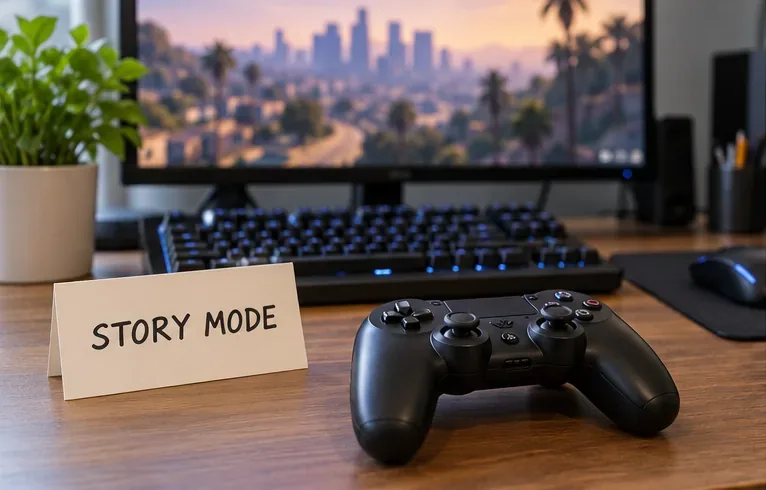
Enter the target car as its driver and stop somewhere away from traffic. Stay inside while activating the code. This gives you a clear vehicle to assess afterward and avoids confusing a character-health refill with a vehicle repair.
A wreck you cannot enter is a different problem. Do not keep entering the code beside an exploded vehicle expecting it to reappear. In Story Mode, consider reloading an earlier save if retaining that particular car matters.
On PC: press the tilde/backtick key near 1 to open the cheat box, enter TURTLE, then press Enter. Rockstar's PC controls tips explain that some non-US keyboard layouts require a different key label or Shift. If the box does not open, check your layout rather than typing into an unrelated menu.
Using the phone: open the character's phone, select Contacts, open the dial pad, enter 1-999-887-853, and place the call. Use the phone inside the game, not a real telephone. This walkthrough's phone instructions cover PC and the later console editions listed above, not PS3 or Xbox 360.
Look for the game's cheat activation notification. Then inspect the car and take a short, careful drive. Compare its visible damage and driving behavior with its condition before activation. If the engine had been smoking or the car was struggling to move, those are useful symptoms to reassess.
A restored character-health or armor bar confirms that part of the cheat; it does not, by itself, prove that the car is repaired. If the vehicle still looks damaged or drives poorly, stop treating activation as a successful repair. Use the normal repair option instead.
| What you observe | What to do next |
|---|---|
| The game displays Cheat Denied | Some gameplay situations restrict cheats. Try again during ordinary Story Mode free roam. |
| No activation message appears | Check the spelling or phone number and confirm that the intended input interface is open. |
| Health improves but the car does not | Confirm that you occupied the target car. If the repair still fails, switch to a repair shop. |
| The car is destroyed and inaccessible | Use recovery or an earlier save; an occupied-vehicle shortcut cannot target a car you cannot enter. |
Rockstar notes that certain cheats become unavailable during specific gameplay moments, and starting a mission can disable off-mission cheats. Repeatedly entering the code during the same blocked sequence is unlikely to resolve that restriction.
If the car remains drivable, take an eligible vehicle to Los Santos Customs and use the repair option shown by the shop. Check the price before confirming. This is the practical alternative when you want a repair without introducing a cheat-related achievement restriction.
Rockstar's Chop Shop announcement also distinguishes custom-shop repairs from replacing destroyed vehicles through insurance. Neither an occupied-car cheat nor a repair-shop visit should be confused with recovering a destroyed vehicle.
No. Story Mode cheat codes are not a GTA Online repair method. Rockstar's Title Update 1.13 notes specifically record closing an exploit that allowed single-player cheats in Online.
For an insured personal vehicle that has been destroyed in GTA Online, follow Rockstar's vehicle-recovery instructions: open the in-game phone, select Contacts, call Mors Mutual Insurance, and choose the vehicle to claim. Insurance recovery is an Online service, not a Story Mode cheat.
Choose the method by the result you need: TURTLE is a quick Story Mode shortcut worth checking; a repair shop is the fallback for a surviving, eligible car; insurance handles eligible destroyed Online vehicles. Once the car is usable again, remember that another collision can damage it immediately.
Learn how to download games to your Xbox remotely in 2026, set up Sleep and remote features, choose the right console, and fix stalled installs.
Fortnite lagging despite fast internet? Learn how to identify ping spikes, packet loss, FPS drops, shader stutter, and server issues—and what to try next.
Fix PS5 controller input lag on PC with a wired baseline, firmware updates, Bluetooth checks, Steam Input settings, and a repeatable response test.
Understand how Riot Vanguard anti-cheat works, why it uses a kernel driver, what On-Demand changes, and how privacy, security, and game access fit together.
Yes, Warzone is free to play. Learn what is included, which purchases and subscriptions are optional, and what platform limits to check before downloading.
Find the official VALORANT Mobile APK, check China-region availability, install it on Android, and understand how it differs from the Riot Mobile companion app.
Find out where you can play League of Legends, which PCs and Macs are supported, how Wild Rift differs, and what Xbox, browser, and region listings mean.
Learn how to play PUBG on Mac by streaming from a Windows PC with Steam Link, plus setup steps, compatibility limits, and fixes for common problems.
Learn how to save your game in GTA 5 with Quick Save, safehouse beds, and autosave, plus how to leave GTA Online and check that your progress was saved.
Can you still download Warzone on PS4? Check the 2026 restrictions, existing-library reinstall steps, support cutoff, and fixes for eligible downloads.








