How to Download Games to Your Xbox Remotely: 2026 Guide

Learn how to download games to your Xbox remotely in 2026, set up Sleep and remote features, choose the right console, and fix stalled installs.
Searching for how to download VALORANT Mobile can lead to three different things: the actual mobile game, Riot's companion app, and unofficial APK pages. The download you need depends on your region and device. The verified routes in this guide are for the Chinese release, called 无畏契约:源能行动.
Availability checked November 1, 2026: the game has a Chinese App Store listing and a Tencent-published listing in Xiaomi Game Center. A worldwide mobile release date or official global mobile download was not verified in the Riot sources checked. Riot's global platform selector currently lists PC, PlayStation 5, and Xbox Series X|S. Do not interpret the Chinese release as confirmation of availability in your own app store.
| Your situation | Where to start | What to check |
|---|---|---|
| Eligible iPhone or iPad user accessing the Chinese storefront | The game's Chinese App Store listing | Title, Tencent developer, device compatibility, and regional availability |
| Android user with access to supported Chinese distribution channels | The publisher's site or a manufacturer-operated store, such as Xiaomi Game Center | The actual Tencent game listing and the installation option offered for your device |
| Player outside a verified supported region | Riot's official announcements and your own regional store | A confirmed local release or publisher-linked listing |
| Player who downloaded Riot Mobile | Riot's companion-app information | Riot Mobile provides account and social features; it is a different app from the mobile shooter |
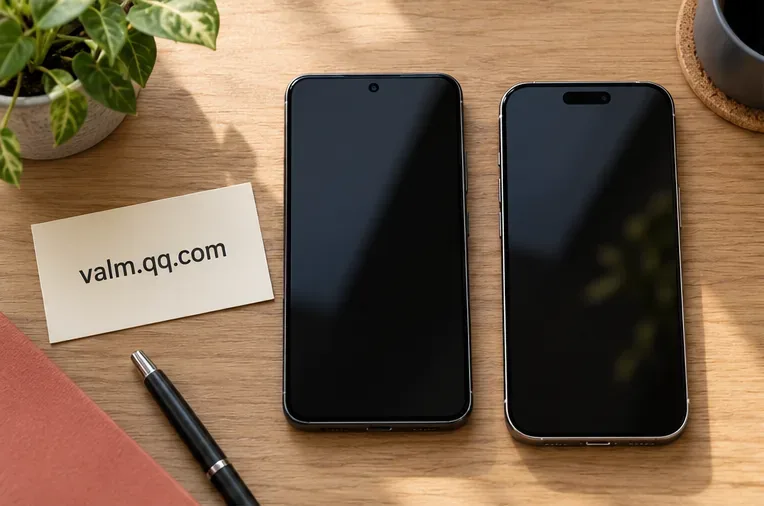
Start with Tencent's VALORANT Mobile website. When checking a store, compare the complete Chinese title above with the publisher information. A familiar icon or the word “VALORANT” alone is insufficient to identify a download.
Apple's listing names Shenzhen Tencent Tianyou Technology Ltd as the developer. Xiaomi's listing identifies Tencent's Chinese publishing company. Storefronts can display different Tencent legal entities, so verify the listing through the official links rather than demanding that every store use an identical English company name.
If the game is unavailable in your region, a search result for an APK does not establish official support. For iPhone and iPad, Apple explains that your Apple Account country or region determines the storefront where you can obtain apps. Opening a Chinese web listing does not change your account's storefront.
For a compatible device and supported account, begin at the publisher's website and follow the Android distribution option available there. A verified manufacturer-store example is Xiaomi Game Center's VALORANT Mobile listing. On a supported Xiaomi device, find that exact game in Game Center and use the installation control offered for your device.
If an official route supplies an APK and Android requests permission to install it, verify the source before proceeding. Installation controls differ between Android versions and manufacturers. Google's Android download guidance explains the risks of unknown sources and the role of Play Protect. Do not disable protection simply because an unrelated download page tells you to.
No current publisher-backed Android chipset, RAM, or frame-rate table was verified for this guide. Treat device requirements shown by the current official installer or store as the relevant check; an unsupported phone cannot be made compatible merely by obtaining the package elsewhere.
Open the official Chinese App Store listing on your device. Confirm the title and developer, then use Get if the listing is available to your account and device. Complete the Apple authentication requested and wait for installation.
At the time checked, the listing specified iOS 13.0 or later for iPhone and iPadOS 13.0 or later for iPad. It listed Simplified Chinese as the language and described the app as free with in-app purchases. An operating-system minimum does not promise a particular graphics setting or frame rate.
Review the current size and compatibility information in the store immediately before downloading. Leave room for installation and any additional resources requested at launch. If the app is missing from your regional store, first check availability; troubleshooting your Wi-Fi will not add an app to a storefront where it is not offered.
Once installation finishes, open the game and follow its own setup prompts. Allow any required resource downloads to finish, review the permissions requested, and complete the sign-in and eligibility checks presented by the official app. Installation and permission to use a regional service are separate questions.
Do not assume that your PC Riot Account, purchases, or progression automatically apply to this regional mobile release. Check the mobile publisher's account rules before spending money. If setup stops at an account or verification screen, record the exact message and consult the support route supplied by the game or its official distribution channel.
Riot Mobile is Riot Games' companion app. Riot describes features including friends chat, news, esports, match information, and account authentication. Its availability on Android and iPhone does not establish that the VALORANT mobile shooter is available in the same region.
If your installed app opens news, friends, or account-security features rather than the game, check its name before troubleshooting. You may have downloaded the companion app correctly while searching for a different product.
| Problem | Useful next check |
|---|---|
| Game does not appear in the store | Confirm the regional storefront and current official availability. |
| Store reports an incompatible device | Read the current compatibility requirements and compare your exact device and OS. |
| Download stalls or storage runs out | Check the connection and available space, then retry through the same verified channel. |
| Installation succeeds but sign-in fails | Check the exact account or eligibility message; reinstalling is not a substitute for resolving it. |
| A site promises a global beta key or asks for unrelated software | Look for a matching announcement and registration link from Riot or the publisher before proceeding. |
The practical rule is to verify regional availability first, identify the publisher second, and install through the official route offered for your device. When no supported local download has been confirmed, follow Riot's announcements rather than treating an unofficial package as a global release.
Learn how to download games to your Xbox remotely in 2026, set up Sleep and remote features, choose the right console, and fix stalled installs.
Fortnite lagging despite fast internet? Learn how to identify ping spikes, packet loss, FPS drops, shader stutter, and server issues—and what to try next.
Fix PS5 controller input lag on PC with a wired baseline, firmware updates, Bluetooth checks, Steam Input settings, and a repeatable response test.
Understand how Riot Vanguard anti-cheat works, why it uses a kernel driver, what On-Demand changes, and how privacy, security, and game access fit together.
Yes, Warzone is free to play. Learn what is included, which purchases and subscriptions are optional, and what platform limits to check before downloading.
Find the official VALORANT Mobile APK, check China-region availability, install it on Android, and understand how it differs from the Riot Mobile companion app.
Find out where you can play League of Legends, which PCs and Macs are supported, how Wild Rift differs, and what Xbox, browser, and region listings mean.
Learn how to play PUBG on Mac by streaming from a Windows PC with Steam Link, plus setup steps, compatibility limits, and fixes for common problems.
Learn how to save your game in GTA 5 with Quick Save, safehouse beds, and autosave, plus how to leave GTA Online and check that your progress was saved.
Can you still download Warzone on PS4? Check the 2026 restrictions, existing-library reinstall steps, support cutoff, and fixes for eligible downloads.








