How to Download Games to Your Xbox Remotely: 2026 Guide

Learn how to download games to your Xbox remotely in 2026, set up Sleep and remote features, choose the right console, and fix stalled installs.
Riot does not offer the full League of Legends game as a browser version on its official website. To play through Riot's documented desktop route, download the game for Windows or macOS and launch the installed software. Opening a website in Chrome, Edge, Firefox, or Safari does not start a normal League match.
Availability checked November 1, 2026. Riot's official download page provides Windows and Mac installers. This guide explains what you can do in a browser, why older cloud-gaming instructions need checking, and how to get into your first match through the supported installation route.
League of Legends is a multiplayer online battle arena, often shortened to MOBA: players control characters called champions and cooperate to defeat another team. In the main Summoner's Rift mode, two teams of five work toward destroying the opposing Nexus, the central structure in that team's base.
“Online” describes the connection between players and the game service. It does not mean the game runs inside a web page. A client is installed software that lets you sign in, update the game, and access its features. Your browser can help you get the installer and read guides, but those tasks are separate from running a match.
| What you open | What it does | Does it provide the full match? |
|---|---|---|
| Riot's website in a browser | Provides downloads, account links, news, and learning material | No native browser match is offered on the official download page. |
| The installed desktop client | Updates and launches League on a compatible computer | Yes; this is the documented desktop route. |
| A cloud-streaming service | Runs a game on a remote computer and sends video to your device | Only if that provider currently supports League. General browser support does not establish game compatibility. |
| A quiz or fan-made minigame | May offer a separate activity related to League | It should not be mistaken for the full Riot game. |
Cloud streaming means a remote machine runs the game while your device receives its picture and sends back your controls. This can look like browser play, but the game still runs on another computer, and that computer must meet the game's requirements.
There is a specific reason to question older GeForce NOW walkthroughs. In its May 2, 2024 announcement, NVIDIA said League became unplayable on GeForce NOW after patch 14.9 added Vanguard, because the security software did not support its virtual-machine environment. A virtual machine is a software-created computer running within another system.
That is a dated announcement, not proof of every provider's present status. The official pages checked for this article did not establish a restored, working League browser-streaming route. Riot's current VAN 138 guidance also says Vanguard is unsupported in virtual-machine environments. Before paying a cloud provider specifically for League, obtain current confirmation for the exact game and service. A historical logo or old catalog entry is insufficient.
Open the official League website and use its account-creation or download links. If you already have a Riot account, use that account in the official sign-in flow. Keep access to its email address so you can complete verification or recover access when needed.
Riot confirms that creating an account, installing, and playing is free. You do not need to purchase a “browser activation” or an unlock code to follow the normal installation route.
For account protection, Riot's security guide identifies authenticate.riotgames.com as its web authentication site. It also recommends email verification and multi-factor authentication, an extra identity check when signing in. Avoid entering your password into a page merely because it displays League artwork.
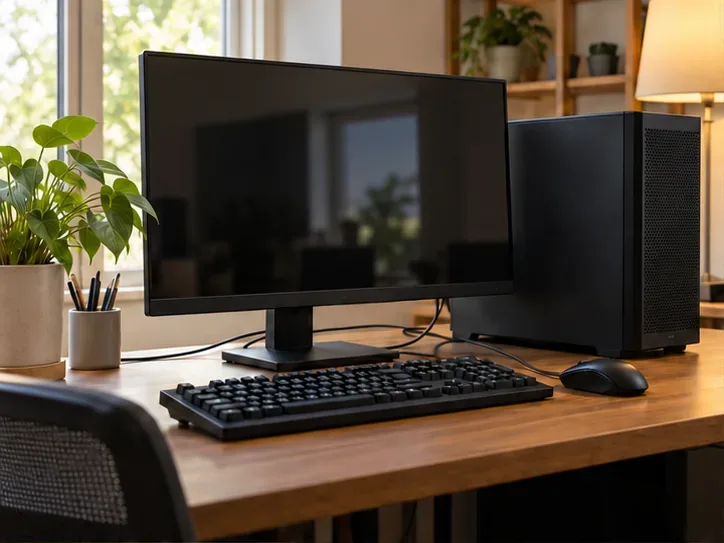
Compare your device with Riot's current system requirements. Check the operating system, processor, graphics support, memory, and free storage. Minimum specifications describe the entry threshold; Riot cautions that a computer meeting only those specifications can still experience performance problems.
The requirements page lists Windows and macOS as supported operating systems and says it does not support alternatives such as Linux or SteamOS. Windows ARM processors are also listed as unsupported. A laptop having a modern browser does not establish that its hardware and operating system can run League.
Check installation permissions too. If you use a school, workplace, or shared computer, confirm that its owner allows the installation. Riot documents missing administrator access and network interference as possible installation blockers; using a different browser will not grant the required permission.

Choose the Windows or Mac installer on Riot's download page, then open the downloaded file and follow its instructions. Allow the client to finish downloading and applying the game files. Downloading the initial installer is not the same as completing the game installation.
On Windows, expect Riot's required game-security software, Vanguard. This is Riot's anti-cheat system, designed to help detect unfair software. Follow the installer's restart prompts. Riot's League Vanguard FAQ says that disabling or uninstalling Vanguard prevents play, and that restarting the computer is necessary after exiting it if you want to play again.
If installation fails, use Riot's installation troubleshooting page to check Windows updates, permissions, and connection issues. For a VAN error, record the exact code and consult the official error index. Different codes can require different remedies; repeatedly reinstalling or changing browsers is not a diagnosis.
Launch League from the installed client and follow any introductory tutorial it presents. Then choose an available beginner mode. Co-op vs. AI means cooperating with other players against computer-controlled opponents, providing a place to learn without immediately entering a standard player-versus-player match.
Riot's mode-unlock guide says new players initially have access to Co-op vs. AI and custom matches. It lists Practice Tool at level 9. If a fresh account does not display that tool, check the account's level before assuming that installation failed.
Use Riot's How to Play guide to understand champions, lanes, defensive towers, and the Nexus objective. In your first session, check that movement, camera control, abilities, audio, and connection stability work as expected. Focus on learning one champion's controls before worrying about advanced strategies or competitive ranking.
You can read the official beginner guide and study the game's objectives before installing. Those pages are useful preparation, but they do not provide a playable Summoner's Rift session. If your device cannot run a supported installation and you cannot verify a compatible streaming service, use another suitable computer or choose a game explicitly designed for browser play.
For League itself, the practical next action is to check your computer against Riot's requirements and use the official installer. You are ready to begin when the client finishes updating and you can enter an available introductory match—not merely when a web page says “Play.”
Learn how to download games to your Xbox remotely in 2026, set up Sleep and remote features, choose the right console, and fix stalled installs.
Fortnite lagging despite fast internet? Learn how to identify ping spikes, packet loss, FPS drops, shader stutter, and server issues—and what to try next.
Fix PS5 controller input lag on PC with a wired baseline, firmware updates, Bluetooth checks, Steam Input settings, and a repeatable response test.
Understand how Riot Vanguard anti-cheat works, why it uses a kernel driver, what On-Demand changes, and how privacy, security, and game access fit together.
Yes, Warzone is free to play. Learn what is included, which purchases and subscriptions are optional, and what platform limits to check before downloading.
Find the official VALORANT Mobile APK, check China-region availability, install it on Android, and understand how it differs from the Riot Mobile companion app.
Find out where you can play League of Legends, which PCs and Macs are supported, how Wild Rift differs, and what Xbox, browser, and region listings mean.
Learn how to play PUBG on Mac by streaming from a Windows PC with Steam Link, plus setup steps, compatibility limits, and fixes for common problems.
Learn how to save your game in GTA 5 with Quick Save, safehouse beds, and autosave, plus how to leave GTA Online and check that your progress was saved.
Can you still download Warzone on PS4? Check the 2026 restrictions, existing-library reinstall steps, support cutoff, and fixes for eligible downloads.








