How to Download Games to Your Xbox Remotely: 2026 Guide

Learn how to download games to your Xbox remotely in 2026, set up Sleep and remote features, choose the right console, and fix stalled installs.
EA publishes a 0.045% probability of Heirloom Shards dropping when an Apex Pack is opened, alongside a separate 500-eligible-pack guarantee. Those numbers describe different parts of the reward system. Neither means every type of pack has the same rules, or that every account is always eligible.
Official information checked November 1, 2026. Here is what the published rules establish, what common interpretations get wrong, and how to use the information without mistaking an estimate for a promised result.
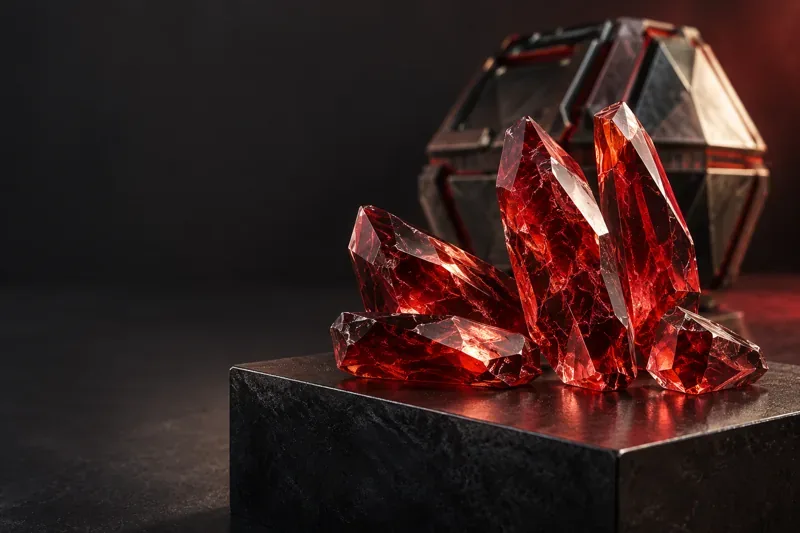
An Heirloom and Heirloom Shards are related, but they are not interchangeable terms. EA's customization guide describes Heirlooms as Mythic cosmetics that change the appearance of a melee weapon. Shards are the currency used to obtain eligible items through the Mythic Store.
These are cosmetic rewards, rather than a reason to expect stronger attacks. Preview the item you actually want before pursuing its currency, and check its current store requirements rather than assuming every red-rarity reward is the same product.
Older explanations often stop at “less than 1%.” EA's Minimum Global Drop Rates disclosure gives the more precise figure of 0.045%. It also says the disclosure provided more detail without changing rarity drop rates. A more precise published number should not be described as a newly increased chance.
Mathematically, 0.045% equals 0.00045, or roughly one success per 2,222 attempts as a simple single-attempt odds comparison. That reciprocal is not the number of packs you must open, an actual average waiting time under the guarantee, or a purchase recommendation.
Useful action: use the published percentage when comparing claims. Do not replace it with 1%, 0.45%, or 1 divided by 500; those are different probabilities.
EA's Apex Legends FAQ states that an eligible player cannot open more than 500 qualifying Apex Packs without receiving Heirloom Shards. This is bad-luck protection: a limit on a qualifying unsuccessful run, separate from the random drop probability.
Here is a mathematical illustration, not an account prediction. If draws were independent at a constant 0.045% rate before the guarantee, the chance of at least one random success across n draws would be 1 − (1 − 0.00045)n.
| Illustrative draws before the guarantee | At least one random success in this model |
|---|---|
| 100 | About 4.40% |
| 250 | About 10.64% |
| 499 | About 20.12% |
The table deliberately excludes the guaranteed outcome. You cannot extend the random-only formula through the guarantee and call the result your real chance at that point. Pack eligibility and account conditions must also hold.
Useful action: separate your qualifying no-shard streak from your lifetime total. For an arithmetic example, a verified streak of 460 qualifying openings would leave 40 to the 500-opening limit, provided eligibility continues. That calculation does not verify that your account is actually at 460.
The FAQ excludes these categories from the bonus Heirloom Shards count:
Use the exact pack classification; a broad label such as “themed” is insufficient. The FAQ also separately describes a Heirloom Pack that guarantees an unowned Heirloom, drawn equally from the unowned pool. That product is different from the ordinary random shard drop.
The 30-pack protection for a Legendary item is also separate from the Heirloom guarantee.
Useful action: check the exact pack description before counting it. Keep event-reward records separate; an exclusion list does not by itself explain counter resets.
EA Help's currency and crafting guide makes eligibility conditional on remaining unowned Base Mythic cosmetics and your existing Heirloom Shard balance, excluding collaboration items. The pages do not give a worked example for calculating eligibility from a banked shard balance. If you already hold unspent shards, check the full conditions or ask EA Support how they apply to your inventory.
The FAQ defines Base Mythic cosmetics as Mythic items purchasable with Heirloom Shards. It says openings made while all relevant Base Mythics are owned do not advance the bonus counter until more qualifying items are added.
Useful action: check both your owned Mythics and your existing shard balance before assuming an opening contributes. Heirloom Shards and Exotic Shards are separate currencies; the latter are used for Artifact customization and other offerings, not as an interchangeable substitute for this guarantee.
EA's drop-rate disclosure explains that duplicate protection can improve the odds of receiving a particular unowned cosmetic as its available pool shrinks. That is a statement about cosmetic-item pools. It does not publish a formula for increasing the listed shard probability by buying skins.
Likewise, the reviewed official pages do not publish a rising-probability schedule as you approach the guarantee. Being closer to a guaranteed endpoint and having a proven increase in the next random roll are different claims.
Useful action: do not buy unrelated cosmetics to try to manipulate shard odds. Ask whether a claim concerns a specific skin, a pack's guaranteed item, or the bonus shard roll before applying it to your plans.
A calculator produces an estimate from the information supplied to it. If you estimate past Battle Pass rewards, forget an earlier shard drop, or include excluded packs, precise-looking output still rests on uncertain inputs. Account level alone is not an opening history.
Keep records of known qualifying openings, pack types, and shard drops. Mark unknown periods as unknown instead of filling them with guesses. If you only know a range, such as 300 to 360 qualifying openings, the corresponding arithmetic range is 140 to 200 remaining—not one verified number.
If an awarded item or purchased content appears missing, EA's missing-content guide recommends restarting, confirming the correct EA Account, and checking service issues. For content still absent after 24 hours, follow its contact instructions and provide the relevant platform, dates, item details, and proof of purchase where applicable.
Useful action: preserve evidence and distinguish a missing-content problem from an uncertain pack estimate. Set any spending limit before opening packs; an unverified counter is not a reason to keep purchasing until an expected result appears.
Learn how to download games to your Xbox remotely in 2026, set up Sleep and remote features, choose the right console, and fix stalled installs.
Fortnite lagging despite fast internet? Learn how to identify ping spikes, packet loss, FPS drops, shader stutter, and server issues—and what to try next.
Fix PS5 controller input lag on PC with a wired baseline, firmware updates, Bluetooth checks, Steam Input settings, and a repeatable response test.
Understand how Riot Vanguard anti-cheat works, why it uses a kernel driver, what On-Demand changes, and how privacy, security, and game access fit together.
Yes, Warzone is free to play. Learn what is included, which purchases and subscriptions are optional, and what platform limits to check before downloading.
Find the official VALORANT Mobile APK, check China-region availability, install it on Android, and understand how it differs from the Riot Mobile companion app.
Find out where you can play League of Legends, which PCs and Macs are supported, how Wild Rift differs, and what Xbox, browser, and region listings mean.
Learn how to play PUBG on Mac by streaming from a Windows PC with Steam Link, plus setup steps, compatibility limits, and fixes for common problems.
Learn how to save your game in GTA 5 with Quick Save, safehouse beds, and autosave, plus how to leave GTA Online and check that your progress was saved.
Can you still download Warzone on PS4? Check the 2026 restrictions, existing-library reinstall steps, support cutoff, and fixes for eligible downloads.








