Home
» News
»
StoreForce Experiencing Issues? How Retail Teams Can Protect Workforce Operations
StoreForce Experiencing Issues? How Retail Teams Can Protect Workforce Operations
When a retail workforce management system becomes slow, unavailable, or inconsistent, the immediate problem is not the software itself. The real problem is whether store teams can still put the right people in the right places, preserve accurate time records, and avoid creating conflicting versions of the schedule.
If your team is currently experiencing StoreForce issues, the most useful goal is not simply to get the screen loading again. A good recovery means that managers can trust the schedule, employees can see the correct information, time and attendance data is intact, and any downstream processes such as payroll or reporting are not quietly working from stale data.
As of September 16, 2026, StoreForce's public website describes its workforce management, scheduling, time and attendance, KPI, retail execution, and employee self-service capabilities, but I could not verify a public StoreForce incident bulletin or public status page confirming a broad current outage. That means organizations seeing problems should avoid assuming that every error is part of a platform-wide incident. The safest approach is to establish scope first, protect operational data, and escalate with evidence when needed.
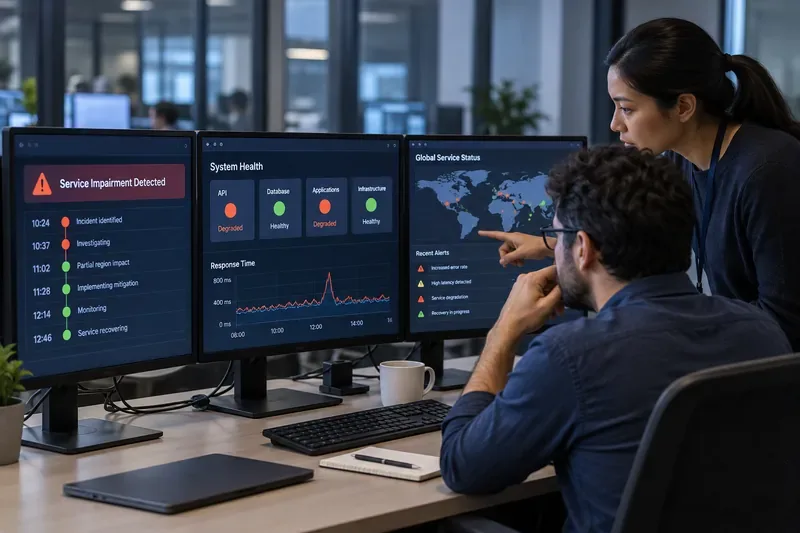
Retail managers compare the digital system with a printed staffing schedule while store operations continue in the background. During a workforce management disruption, preserving a trusted version of the schedule is often more important than repeatedly retrying the application.
What a successful response should achieve
StoreForce is positioned as a specialty-retail operations platform that includes workforce management, automated scheduling, time and attendance, employee self-service, performance data, and retail execution tools. StoreForce says its workforce management offering supports planning, scheduling, reforecasting, timekeeping, and payroll-related output. See the company's official retail workforce management overview.
Because those workflows are connected, a disruption can be more serious than a temporary inconvenience. The right outcome is therefore broader than restoring login access. Your response should aim for four things:
Schedule integrity: managers and employees are working from the same approved schedule.
Time-record integrity: clock-in, clock-out, exceptions, and adjustments are captured or documented for later reconciliation.
Operational continuity: stores know who is expected to work even if employee self-service or manager screens are temporarily unavailable.
Data reconciliation: once service returns, changes made during the disruption are checked against the system rather than assumed to have synchronized correctly.
If you can meet those four outcomes, the disruption is being managed well even before every feature is fully restored.
First, determine whether the issue is local or widespread
Before changing browsers, reinstalling apps, or asking dozens of employees to retry, establish the scope. This saves time and reduces the chance of creating conflicting actions.
Start with a simple scope check
Ask the same four questions across a small sample of users:
Can one manager sign in successfully?
Can one employee access the expected schedule or self-service function?
Does the issue appear on both store Wi-Fi and a separate connection, where company policy allows that comparison?
Are other stores or locations seeing the same symptom at roughly the same time?
The quality signal you want is consistency. If only one device fails while other users and stores work normally, local troubleshooting is reasonable. If several users across different devices and networks see the same failure, continuing to reset individual devices is unlikely to be productive.
Protect the last trusted schedule before troubleshooting further
A common operational mistake during a workforce-management disruption is to let multiple managers create parallel copies of the schedule. One person edits a spreadsheet, another sends changes in a group chat, and a third keeps retrying the application. When the platform returns, nobody knows which version is authoritative.
Choose one temporary source of truth. This might be the most recent approved printed schedule, a previously exported schedule, or another company-approved fallback record. Record the time at which that version was considered current. Any changes made during the interruption should be logged against it.
This matters because StoreForce's official materials describe automated scheduling, employee shift management, timekeeping, and payroll-related workflows as connected parts of its workforce management environment. Its official WFM+ brochure also describes employee self-service functions such as schedule access, shift exchange, communications, and time-off requests.
Keep stores operating with the smallest possible fallback process
A fallback process should preserve essential operations without trying to reproduce the entire software platform manually. Focus on what the store needs for the next shift or business day.
At minimum, managers should be able to answer:
Who is scheduled to work?
What are their planned start and end times?
What approved changes occurred during the disruption?
How will worked time be captured if the normal process is unavailable?
Who is responsible for entering or reconciling those changes after recovery?
Do not improvise around payroll, labor-law, or timekeeping requirements. Use your retailer's approved business-continuity and HR procedures. A software outage does not remove legal or company obligations around working hours, breaks, attendance, or recordkeeping.
Collect evidence before escalating
When troubleshooting reaches the vendor, precise evidence is much more useful than saying "StoreForce is down." A compact incident record should include:
the first known time of failure, including time zone;
the affected store, region, or organizational group;
the function affected, such as sign-in, schedule access, timekeeping, or reporting;
the exact error message, where available;
whether the issue occurs for multiple users and devices;
whether another network path changes the result;
screenshots that do not expose unnecessary employee or customer data;
business deadlines at risk, especially shift starts or payroll cutoffs.
StoreForce's official contact page directs existing users to its support channel and lists regional contact information. If the issue affects multiple stores, core functions, or a time-sensitive process, escalation should happen early rather than after hours of repetitive local troubleshooting.
How to judge whether the system is actually recovered
A login screen loading successfully is not enough evidence that workforce operations are healthy again. Recovery should be tested against the business outcome that matters.
Area
Healthy recovery signal
Reason to keep investigating
Scheduling
The latest approved schedule and recent changes are present and consistent for managers and employees.
Different users see different shift information, or recent edits are missing.
Time and attendance
Expected time records and exceptions appear and can be reconciled.
Clock events are absent, duplicated, delayed, or cannot be verified.
Employee self-service
Employees can view the correct schedule and permitted requests behave normally.
Access returns but displayed information is stale.
Reporting and integrations
Recent operational data appears within the normal expected processing window.
Dashboards, exports, or downstream systems continue showing old data.
StoreForce's product pages emphasize real-time dashboards, performance information, automated scheduling, and timekeeping. Those capabilities make post-incident data validation important: a system can be reachable while its data feeds or dependent processes are still catching up. The company's official solutions overview describes workforce management, KPI performance management, retail execution, and employee engagement as connected parts of its retail operations offering.
When should you change your approach?
Local troubleshooting has diminishing returns. Change from device-level troubleshooting to incident management when one or more of these conditions appears:
the same problem affects multiple users, stores, or network connections;
the system is reachable but data is inconsistent across users;
schedule changes disappear or fail to persist;
timekeeping accuracy cannot be confirmed;
a payroll, labor-compliance, or store-opening deadline is approaching;
repeated retries are consuming manager time without producing new information.
At that point, the better outcome usually comes from protecting the last trusted data set, running the approved fallback process, and escalating with a concise evidence package.
Mistakes that can make a StoreForce disruption worse
Repeatedly editing the same schedule through different channels. This creates reconciliation work and increases the chance of employees receiving conflicting instructions.
Assuming the problem is global. Without an official incident confirmation, an authentication, browser, network, integration, or customer-specific configuration issue can look like a vendor-wide outage.
Assuming recovery means the data is correct. Always validate the latest schedule, time records, and any critical downstream data after access returns.
Deleting local information or making configuration changes too quickly. If several stores are affected, changing individual devices may not address the cause and can remove useful diagnostic evidence.
Waiting too long to escalate a time-sensitive issue. The closer you are to a shift change or payroll cutoff, the more important it is to move from experimentation to a controlled continuity process.
What StoreForce can and cannot solve during an incident
StoreForce's normal value comes from bringing workforce planning, scheduling, timekeeping, performance, and employee workflows into one retail-focused environment. Its official product material describes automated labor scheduling, performance-informed planning, time and attendance controls, and mobile employee self-service. Those features can reduce manual coordination during normal operations.
During a disruption, however, the platform cannot replace your organization's business-continuity decisions. Retailers still need a known fallback for schedules, attendance records, manager communications, payroll exceptions, and recovery reconciliation. The right fallback will differ by retailer, jurisdiction, integration design, and internal policy.
There is also an important information limit: I did not find a publicly accessible official StoreForce status page or incident bulletin that verifies a broad active outage as of September 16, 2026. Therefore, this article should not be read as confirmation that StoreForce itself is experiencing a global service failure. It is a practical response framework for teams currently seeing disruption symptoms.
Final recovery check
Before closing the incident internally, verify the outcome rather than the absence of error messages. A store should be able to answer yes to all of the following:
Managers and employees see the same current schedule.
Changes made during the interruption have been reconciled.
Worked-time records are complete enough for the next payroll or attendance process.
Critical employee requests or shift changes have not been lost.
Reports and downstream feeds are current within their normal processing window.
Temporary spreadsheets, printed notes, or messages have been archived or retired according to company policy so they do not become competing sources of truth.
If those checks pass, operations are meaningfully recovered. If they do not, keep the incident open even if the application appears responsive. In retail workforce management, the quality of the data and the clarity of the schedule matter more than whether a page simply loads.