Home
» News
»
Is Salesforce Down Right Now? Real-Time Status Updates and What to Check
Is Salesforce Down Right Now? Real-Time Status Updates and What to Check
If Salesforce is not loading, running slowly, or behaving strangely, the most useful answer is not simply “yes” or “no.” Salesforce availability is reported by instance, tenant, product, and service, so one group of customers can be affected while others continue working normally.
Status check for September 16, 2026: Salesforce’s official Trust resources remain the authoritative place to verify current incidents. Salesforce also has an ongoing informational message about intermittent UI freezing for some customers using Chrome and Microsoft Edge version 153 on Windows. Salesforce says that issue was triggered by a Chromium browser update and is not caused by Salesforce’s codebase. Because public incident data can change after this article is published, always confirm the live status for your own instance or tenant before assuming there is a platform-wide outage.
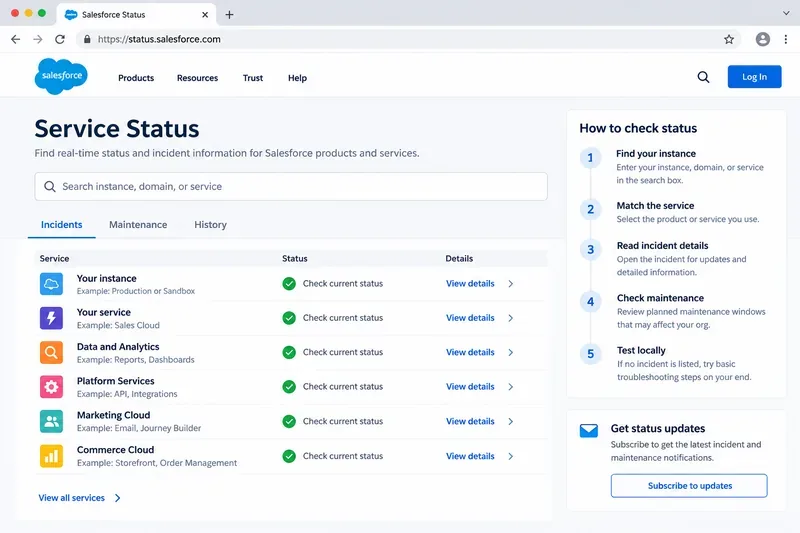
A status dashboard should be used to identify your own instance or service, read incident details, review maintenance, and then test locally before concluding that Salesforce is down.
Quick answer: Is Salesforce down right now?
What you see
What it may mean
Best next check
Salesforce will not load for many users in your company
Possible Salesforce incident, identity issue, network problem, or regional disruption
Check your instance and affected service on Trust Status
Only one user cannot log in
Account, browser, device, SSO, permission, or local network issue
Test another browser/device and ask another user to sign in
Salesforce loads but is very slow
Possible performance degradation, browser issue, network latency, or heavy org activity
Look for a degradation incident and compare with another browser/network
One feature is broken but the rest of Salesforce works
Feature degradation, configuration issue, permission change, or integration failure
Match the problem to the specific service listed on Trust
Pages freeze in Chrome or Edge 153
Salesforce has documented an intermittent browser-related issue affecting some customers
Review Salesforce’s current advisory and test another supported browser if organizational policy allows
Salesforce defines Trust Status as its website for learning about product availability and performance. Its documentation also notes that status data can be instance-specific. A green status for one instance does not prove that another instance is healthy, and an incident affecting a subset of services does not mean the entire Salesforce platform is offline.
1. Check Salesforce Trust before troubleshooting deeply
Open the official Salesforce Trust Status site. Salesforce’s own incident-checking instructions say the home page lists ongoing incidents and maintenance events across instances and services. Open an incident ID to see its status, affected instances and services, start time, updates, and other details.
Do not stop at the headline. A status such as “Performance Degradation” can mean Salesforce is still accessible but responding slowly or with reduced functionality. A “Service Disruption” is more severe and can indicate that an affected instance or service is inaccessible. Maintenance is different again: a planned maintenance event may explain temporary behavior without being an unplanned outage.
2. Find your Salesforce instance instead of checking “Salesforce” generically
The most common mistake in outage checks is looking only for a global Salesforce problem. Salesforce runs customers across many logical instances. The company describes an instance as a logical cluster of software and hardware that hosts customer data and applications.
If you know your instance, search for it directly on Trust Status. If you do not, Salesforce says you can use your My Domain name to locate it. For a My Domain URL such as example.my.salesforce.com, search for the My Domain name rather than pasting the complete login URL. Salesforce also documents the instance field under Setup > Company Information.
This matters because an incident can affect one set of instances while neighboring regions or unrelated products remain available.
3. Match the symptom to the service
After finding your instance, identify the service that matches the failure. For example, login problems, API failures, Data Cloud issues, Marketing Cloud behavior, file access, or a specific Core Service feature may be tracked separately.
If users can log in but reports fail, do not describe the incident as a total Salesforce outage.
If APIs are failing but the web UI is usable, check the service associated with the API or integration path.
If only a sandbox is affected, verify whether the incident specifically lists sandbox instances or production systems.
If one connected application is failing, check both Salesforce and the external provider before changing configuration.
4. Rule out a browser problem before declaring an outage
A useful current example is Salesforce’s informational message about intermittent UI freezing in Chrome and Microsoft Edge version 153 on Windows. Salesforce says the behavior can leave pages scrollable while mouse or pointer events stop responding. The company identified the trigger as an external Chromium-based browser change rather than Salesforce application code.
That distinction is important. If your Salesforce page freezes but another supported browser works, a platform outage is less likely. Salesforce’s advisory says that, where organizational device-management policies permit, using another supported browser or reverting to an earlier browser version may provide temporary relief. Do not bypass your company’s security or device-management rules to test a workaround.
Not every interruption is an incident. Salesforce publishes maintenance windows on Trust. Its documentation says instance maintenance pages can show recent maintenance and scheduled events months into the future.
If your slowdown or temporary access issue lines up with a planned event, read the maintenance details before opening an outage escalation. Note the start time, expected duration, services involved, and whether Salesforce expects any customer-visible impact.
For historical confirmation, Salesforce’s service history instructions explain how to view service status over 24-hour, 3-day, or 7-day windows and navigate to a specific date.
6. Use this five-minute local checklist
Ask another user: Can someone else in the same org reproduce the problem?
Try another supported browser: This helps separate browser-specific behavior from a service failure.
Try another network if policy permits: Corporate proxy, DNS, VPN, firewall, or ISP problems can resemble SaaS outages.
Check the exact URL: Confirm users are reaching the intended My Domain and not an outdated bookmark or redirect.
Test one simple workflow: Login, open a standard record, and run a lightweight action before testing a complex automation or integration.
Record timestamps: Note the first failure time in UTC and local time so it can be compared with Trust incident history.
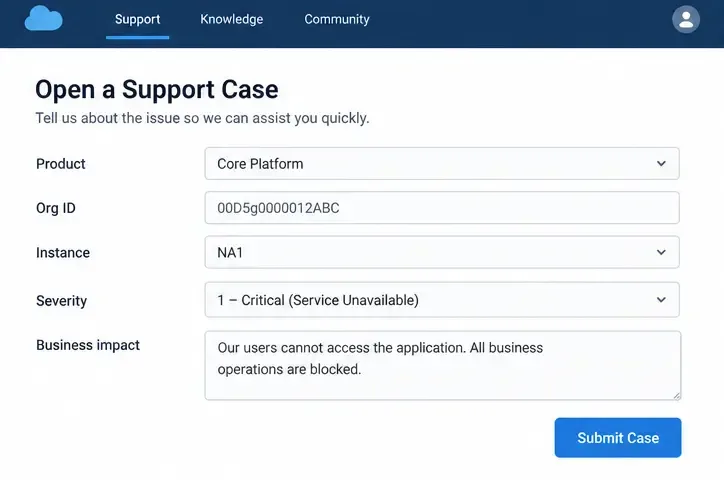
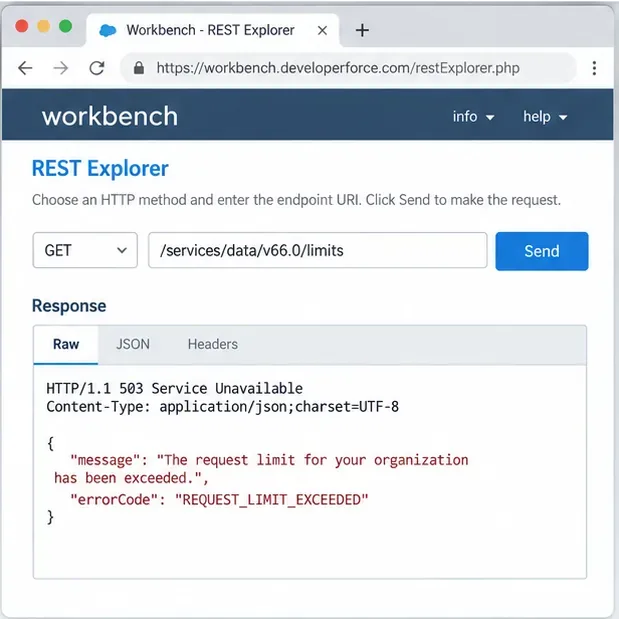
Capture the exact error: Save the error message, HTTP status if visible, affected feature, user role, browser version, and reproduction steps.
If Trust shows no relevant incident and only your organization is affected, the next suspects are usually org configuration, identity/SSO, a connected system, network controls, browser state, or a recent deployment. That does not prove Salesforce is healthy in every respect, but it gives your administrator or support team a much narrower starting point.
7. Know which status site applies to your product
Salesforce is moving more tenant-specific status information into My Trust Center. Salesforce’s current documentation says My Trust Center provides tenant data for Agentforce 360 Platform, Data 360, Salesforce AI, and Marketing Cloud Engagement, and for production environments it also supports Agentforce Sales, Agentforce Service, and Salesforce Industries. Trust Status remains the instance-based source across Salesforce products.
If your product is covered by My Trust Center, use it alongside the public Trust Status page rather than assuming that one generic public indicator reflects your tenant perfectly.
8. Subscribe instead of refreshing the status page repeatedly
For administrators and teams that depend on Salesforce for customer-facing work, status subscriptions are more efficient than manually refreshing a page. Salesforce says Trust notifications provide near-real-time email or SMS alerts for service issues, maintenance events, and product releases posted to Trust Status.
See the Salesforce Trust Notification Guide for subscription options. For high-impact workflows, subscribe to the specific instances and services your organization actually uses rather than every possible Salesforce event.
How to communicate a Salesforce outage internally
Avoid messages such as “Salesforce is down everywhere” unless the evidence supports that claim. A better status update separates observed symptoms from confirmed cause:
Example: “Users in our production org are seeing intermittent record-load failures beginning at 14:20 UTC. Salesforce Trust currently shows an incident affecting our instance’s Core Service. Login remains available. We are monitoring the incident and will avoid nonessential configuration changes until service stabilizes.”
If no matching incident exists, say that instead: “We are seeing an org-specific access problem, but Salesforce Trust does not currently list an incident matching our instance. We are checking SSO, browser, network, and recent configuration changes.”
When is Salesforce “back up”?
Do not declare recovery only because the login page opens. Verify the workflows that were actually affected. If the incident involved record access, test record access. If it involved APIs, run a safe API health check. If it involved a marketing, analytics, or data pipeline, confirm that delayed jobs have caught up rather than assuming that fresh page loads mean data is complete.
Then compare your observed recovery time with Salesforce’s incident updates and status history. If users still see problems after an incident is marked resolved, document the difference and continue troubleshooting your org or contact Salesforce support with precise evidence.
Bottom line
“Is Salesforce down right now?” is an instance-and-service question, not just a global one. On September 16, 2026, Salesforce’s official Trust resources remain the correct place to verify live incidents, and Salesforce also has an active informational advisory concerning intermittent Chrome and Edge 153 UI freezing for some customers. That browser advisory is specifically identified by Salesforce as a third-party environmental issue, which shows why local testing matters.
For the fastest reliable answer, check Trust Status, identify your instance, match the affected service, review maintenance and incident details, test another supported browser or device, and compare results with another user. If your product is covered by My Trust Center, check the tenant-specific view as well. That process gives you a much more accurate answer than relying on a generic “Salesforce down” report.