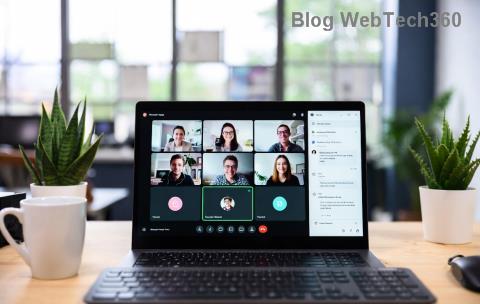
Planning a webinar that captivates thousands? You're at a crossroads: Microsoft Teams or Zoom? Both power modern virtual events, but their webinar features differ dramatically. This head-to-head dives into attendee capacity, interactivity, security, and more – helping you pick the winner for your next big broadcast. Let's break it down! 🚀
Why Choose the Right Webinar Platform Matters
Webinars aren't just meetings; they're marketing goldmines, training hubs, and thought-leadership stages. A seamless platform boosts engagement, attendee satisfaction, and ROI. Microsoft Teams vs Zoom boils down to your needs: enterprise integration or massive scale? We'll compare the essentials with fresh insights from their latest updates.
Core Webinar Capabilities: Head-to-Head
At the heart of any webinar tool are basics like hosting, viewing, and interacting. Here's how they stack up:
| Feature |
Microsoft Teams |
Zoom |
| Max Attendees |
1,000 (Teams Meetings/Live Events); up to 20,000 with advanced licenses |
100,000+ (Zoom Webinar add-on) |
| Event Duration |
24 hours |
30 hours (Webinars) |
| Host & Panelists |
1 host + up to 50 panelists |
1 host + up to 100 panelists |
| Recording |
Cloud/local; auto-transcription |
Cloud/local; AI companion summaries |
Zoom crushes large-scale events – think global product launches with 50,000+ viewers. ⭐ Teams shines for mid-sized corporate webinars, leveraging Microsoft 365 ecosystem. Need massive reach? Zoom leads. Team collaboration? Teams FTW.
Interactivity: Engage Your Audience Like Never Before
Static broadcasts bore attendees. Top platforms spark participation:
- 1️⃣ Polls & Quizzes: Both offer real-time polls. Zoom edges with advanced quiz scoring; Teams integrates seamlessly with Forms for deeper analytics.
- 2️⃣ Q&A & Chat: Zoom's dedicated Q&A moderates questions effortlessly. Teams uses threaded chats for organized discussions.
- 👍 Reactions & Emojis: Instant feedback? Both deliver, but Zoom's customizable reactions feel more webinar-native.
Bonus: Zoom supports breakout rooms in webinars (limited), while Teams excels in hybrid breakout sessions. Feeling the excitement build? Keep reading for security insights! 😊
Video & Audio Quality: Crystal-Clear Delivery
No one tolerates laggy streams. Latest updates prioritize HD:
- Teams: 1080p video, noise suppression, Together Mode for immersive panels.
- Zoom: 1080p/4K streaming, Spotlight for panel focus, superior echo cancellation.
Zoom often wins bandwidth battles, ideal for international audiences. Teams optimizes for enterprise networks. Test both – your webinar's polish depends on it!
Security & Compliance: Protect Your Webinar Data
Breaches kill trust. Both prioritize safety:
| Security Feature |
Teams |
Zoom |
| Encryption |
End-to-end (meetings); DTLS for media |
End-to-end (enabled); AES 256-bit |
| Waiting Rooms |
Yes, with lobby approval |
Yes, customizable |
| Compliance |
GDPR, HIPAA, FedRAMP |
GDPR, HIPAA, SOC 2 |
Teams dominates regulated industries (e.g., government). Zoom rebounded post-2020 with robust updates. Secure your event – no compromises! 🔒
Pricing: Value for Your Webinar Budget
Free tiers tempt, but webinars demand pro plans:
- Teams: Included in Microsoft 365 ($6/user/mo); Webinar add-on ~$5/user/mo for advanced features. Enterprise-friendly scaling.
- Zoom: Pro $15.99/user/mo; Webinars start at $40/mo for 500 attendees, up to $690/mo for 10,000+. Pay-per-use options shine.
For small teams, Teams bundles save cash. Massive events? Zoom's add-ons flex without breaking banks. Check Microsoft Teams pricing and Zoom pricing for latest deals.
Integrations & Ecosystem: Seamless Workflow Wins
Teams syncs with Outlook, PowerPoint, SharePoint – perfect for Microsoft shops. Zoom integrates via Zapier with 1,000+ apps, including CRM like Salesforce. Choose based on your stack!
Microsoft Teams vs Zoom: Who Wins for Webinars?
👉 Pick Zoom for: Massive audiences, superior scale, webinar-first tools.
👉 Pick Teams for: Microsoft integration, compliance-heavy orgs, collaborative events.
Hybrid tip: Use both! Stream Zoom webinars into Teams channels. Your perfect platform? Test free trials today. Ready to host a blockbuster webinar? Drop a comment below – what's your go-to? 🎉