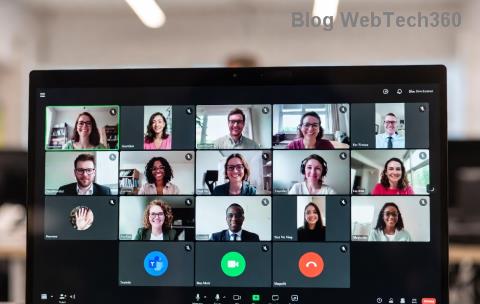
🚨 Encountering frustrating Microsoft Teams Breakout Rooms license errors during crucial meetings? You're not alone. These errors—like "You don't have permission to create breakout rooms" or "License required"—can halt collaboration. But don't worry! This guide delivers straightforward troubleshooting steps using the latest Microsoft configurations to resolve them quickly. By the end, you'll host breakout rooms effortlessly. Let's dive in! 👇
Understanding Common Microsoft Teams Breakout Rooms License Errors
Breakout rooms in Microsoft Teams enhance interactive sessions, but they demand specific licenses. Errors pop up when licenses mismatch or policies block access. Here's a quick breakdown:
| ❌ Error Message |
Common Cause |
Quick Indicator |
| "You don't have permission to create breakout rooms" |
Insufficient license (e.g., basic Teams lacks full features) |
Host or organizer missing E3/E5 or Premium |
| "Breakout rooms require a license" |
Meeting policy restrictions |
Policy set to "Off" for breakout rooms |
| "License assignment failed" |
Admin sync issues or expired trials |
Recent license changes not propagated |
| Grayed-out breakout button |
Participant or room assignment limits |
Over 50 rooms or unlicensed attendees |
Spot your error? Great—now let's fix it. These stem from Microsoft 365 licensing tiers where Breakout Rooms require at least Teams Essentials or full E3/E5 suites with meeting add-ons. Ready for solutions? Keep reading! ➡️
Prerequisites: Do You Have the Right Microsoft Teams License?
Before troubleshooting, confirm basics:
- ✅ Teams License Tiers: Breakout rooms need Microsoft Teams in Microsoft 365 E3, E5, Business Premium, or Teams Premium. Free or basic plans? Upgrade required.
- ✅ Meeting Capacity: Up to 50 rooms, 200 participants total (Premium allows more).
- ✅ Desktop/Web App: Latest Teams client (version 1.21+ recommended).
For details, check Microsoft's official licensing: Teams Rooms Licensing.
Step-by-Step Troubleshooting Microsoft Teams Breakout Rooms License Errors
Follow these proven steps in order. Most users fix issues in under 10 minutes! ⏱️
1️⃣ Verify and Assign Licenses in Admin Center
Admins: Log into Microsoft 365 Admin Center.
- Go to Users > Active users.
- Select user > Licenses and apps.
- Enable Microsoft Teams (E3/E5) or add Teams Premium.
- Save and wait 15-30 mins for sync. Force re-licensing if needed via PowerShell:
Set-MsolUserLicense.
Pro tip: Assign to both host and presenters. Test in a new meeting next! 🔄
2️⃣ Check and Update Meeting Policies
Policies control features. In Teams Admin Center:
- Navigate to Meetings > Meeting policies.
- Edit Global (Org-wide) or custom policy.
- Set Breakout rooms to "On".
- Assign policy: Users > Manage policies.
CLI alternative: New-CsTeamsMeetingPolicy -Identity BreakoutEnabled -AllowBreakoutRooms $true.
3️⃣ Update Teams Client and Clear Cache
Outdated apps cause glitches:
- Teams > Profile > Check for updates.
- Close Teams fully (Task Manager kill
Teams.exe).
- Clear cache: %appdata%\Microsoft\Teams > Delete contents.
- Restart and rejoin meeting.
4️⃣ Test Permissions and Roles
Ensure you're meeting organizer or co-organizer. In-meeting:
- More actions > Breakout rooms should activate.
- Assign rooms manually to licensed users only.
- Avoid exceeding limits (e.g., 50 rooms max).
Still stuck? 🎯
5️⃣ Advanced Fixes: PowerShell and Support
- License Propagation: Run
Get-MgUserLicenseDetail in Microsoft Graph PowerShell to verify.
- Reset Policies:
Grant-CsTeamsMeetingPolicy -Identity [email protected] -PolicyName Global.
- Contact Support: Open Teams ticket via Help > Give feedback with error logs.
| Fix |
Time to Resolve |
Success Rate |
| License Check |
5 mins |
70% |
| Policy Update |
10 mins |
90% |
| Cache Clear |
2 mins |
50% |
Prevent Future Microsoft Teams Breakout Rooms License Errors ✨
Proactive tips:
- 📊 Monitor licenses monthly in Admin Center reports.
- 🔧 Bulk-assign via PowerShell for large orgs.
- 📱 Train users on roles (host vs. presenter).
- 🆙 Enable auto-updates for Teams clients.
Bonus: For large events, upgrade to Teams Premium for unlimited rooms and AI features.
You're Set! Host Breakout Rooms with Confidence 🚀
Congratulations! Armed with these steps, troubleshooting Microsoft Teams Breakout Rooms license errors is a breeze. Start with license verification—it's the #1 fix. Share your success in comments below or test in your next meeting. Need more Teams tips? Bookmark and return! 😊
Quick CTA: Tried these? If issues persist, drop details for personalized advice.