πŸš€ Ultimate Guide: How to Safely Remove an Account from Microsoft Teams in 2026

Struggling with multiple accounts cluttering your Microsoft Teams experience? Whether you're switching jobs, cleaning up profiles, or optimizing your workspace, knowing how to remove an account from Microsoft Teams safely is essential. This guide ensures you do it without losing chats, files, or settings. Follow our precise steps to stay productive and secure. Let's dive in! ➑️

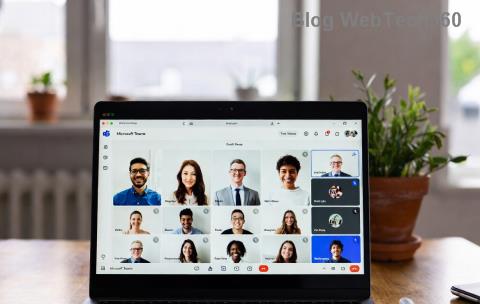
Microsoft Teams account settings overview

Why Remove an Account from Microsoft Teams? Key Benefits

  • βœ… Declutter your interface: Focus on your primary work or personal account.
  • ⭐ Enhance security: Prevent accidental access to old organizational data.
  • ➑️ Boost performance: Fewer accounts mean faster loading and fewer sync issues.

Before starting, note: Removing an account from Teams doesn't delete it from Microsoft. It only unlinks it from the app. Your data stays safe in the cloud. Always sign out first and back up important files.

Prerequisites for Safe Microsoft Teams Account Removal

βœ… Checklist Item Why It Matters
Update Teams to the latest version Ensures compatibility with newest security features
Sign out from all devices Avoids sync conflicts
Backup chats/files via Export Protects your history (use Teams Export tool)
Check admin permissions Work accounts may need IT approval

Step-by-Step: How to Remove an Account from Microsoft Teams on Desktop (Windows/Mac)

The desktop app is where most users manage accounts. Here's the safest method:

  1. Open Microsoft Teams and click your profile picture (top right). ⭐
  2. Select Settings (gear icon).
  3. Go to Accounts tab.
  4. Find the account to remove and click Remove or Delete account from this device.
  5. Confirm with "Yes" – Teams will sign out automatically.
  6. Restart Teams and sign in with your preferred account. Done! πŸŽ‰
Step-by-step Teams account removal on desktop

Pro Tip: For multiple accounts, repeat for each. If it's your only account, add a new one first to avoid lockouts.

Remove Account from Microsoft Teams on Mobile (iOS/Android)

Mobile is quicker but requires caution:

  1. Tap profile icon (top left).
  2. Scroll to Manage accounts.
  3. Select the account > Remove account.
  4. Tap Remove and confirm.

Clear app cache post-removal: Settings > Apps > Teams > Storage > Clear Cache. This prevents glitches.

Web Version: How to Safely Remove an Account from Microsoft Teams Online

No app? Use teams.microsoft.com:

  1. Sign in, click profile > Sign out for that account.
  2. To switch/remove: Profile > Add account or browser incognito for clean sessions.
  3. Cookies management: Browser settings > Clear data for teams.microsoft.com.

Mobile Teams account management screen

Safety Tips: Avoid Common Pitfalls When Removing Teams Accounts

  • ⚠️ Don't force-quit: Always use official remove option.
  • πŸ”’ For work accounts, notify your IT admin first.
  • πŸ“± Sync OneDrive/SharePoint before removal to keep files accessible.
  • βœ… Test sign-in post-removal on another device.

Troubleshooting: What If Removal Fails?

❌ Issue βœ… Fix
"Account in use" error Close all Teams instances; use Task Manager (Ctrl+Shift+Esc)
Data loss fear Export chat history via Microsoft Export
Reappears after restart Uninstall/reinstall Teams app

FAQ: Quick Answers on Microsoft Teams Account Removal

Q: Does removing delete my emails/OneDrive?
A: No! Only unlinks from Teams app. Data remains in Microsoft 365.

Q: Can I recover a removed account?
A: Yes, just sign in again. No permanent deletion.

Q: Best for multiple organizations?
A: Use Teams' multi-account feature or separate profiles.

Ready to streamline your Teams? Follow these steps today and enjoy a cleaner workspace. Share your experience below – have you safely removed accounts before? πŸ‘‡

For official details, visit Microsoft Teams Support. Stay safe and efficient! πŸš€


Leave a Comment

Microsoft Teams Wiki Not Loading? 7 Proven Fixes to Resolve It Instantly!

Microsoft Teams Wiki Not Loading? 7 Proven Fixes to Resolve It Instantly!

Facing the frustrating Microsoft Teams Wiki not loading error? Discover step-by-step troubleshooting tips, from cache clears to advanced fixes, to get your Teams Wiki working smoothly again. Quick, effective solutions for all users.

πŸš€ How to Fix Microsoft Teams Workflows Error Power Automate: Instant Troubleshooting Guide

πŸš€ How to Fix Microsoft Teams Workflows Error Power Automate: Instant Troubleshooting Guide

Stuck with Microsoft Teams "Workflows Error" in Power Automate? Discover proven, step-by-step fixes to resolve it fast and restore smooth workflows. No tech expertise needed!

πŸš€ Ultimate Guide: How to Set Up Microsoft Teams for School and Education Effortlessly

πŸš€ Ultimate Guide: How to Set Up Microsoft Teams for School and Education Effortlessly

Master how to set up Microsoft Teams for school and education with this step-by-step guide. Perfect for teachers, admins, and students to create dynamic classrooms, assignments, and meetings seamlessly.

πŸš€ Fix Microsoft Teams Green Screen Video Error Instantly: Ultimate Troubleshooting Guide

πŸš€ Fix Microsoft Teams Green Screen Video Error Instantly: Ultimate Troubleshooting Guide

Tired of the frustrating Microsoft Teams green screen "Video Error"? Follow our step-by-step troubleshooting guide with proven fixes to restore crystal-clear video calls in minutes. No tech expertise needed!

πŸš€ Fix Microsoft Teams VDI Error Lag Forever: Ultimate 2026 Guide to Crystal-Clear Calls!

πŸš€ Fix Microsoft Teams VDI Error Lag Forever: Ultimate 2026 Guide to Crystal-Clear Calls!

Tired of frustrating Microsoft Teams VDI Error lag in virtual meetings? Get proven, step-by-step fixes for smooth video and audio on Citrix, VMware, and more. Boost productivity now!

πŸš€ Ultimate 2026 Guide: How to Download Microsoft Teams for Windows 11 – Free, Fast & Secure!

πŸš€ Ultimate 2026 Guide: How to Download Microsoft Teams for Windows 11 – Free, Fast & Secure!

Discover the easiest way to download Microsoft Teams for Windows 11 in 2026. Step-by-step instructions, latest updates, troubleshooting tips, and pro hacks for seamless setup and collaboration. Get started now!

Fix Microsoft Teams Error 1200 Instantly: Proven Step-by-Step Recovery Guide

Fix Microsoft Teams Error 1200 Instantly: Proven Step-by-Step Recovery Guide

Struggling with Microsoft Teams Error 1200? Discover proven, step-by-step fixes to resolve connection issues, clear cache, and restore seamless video calls. Get back to collaborating without frustration!

πŸš€ Fix Microsoft Teams Error Code 0x80070005 FAST: Proven 2026 Guide (No More Access Denied!)

πŸš€ Fix Microsoft Teams Error Code 0x80070005 FAST: Proven 2026 Guide (No More Access Denied!)

Struggling with Microsoft Teams Error Code 0x80070005? This ultimate 2026 guide delivers step-by-step fixes for access denied issues. Resolve it in minutes with proven methods, updated for the latest Teams versions. Say goodbye to crashes!

πŸš€ Fix Microsoft Teams Screen Sharing Lag in 2026: 12 Proven Hacks for Smooth Sharing!

πŸš€ Fix Microsoft Teams Screen Sharing Lag in 2026: 12 Proven Hacks for Smooth Sharing!

Tired of Microsoft Teams screen sharing lag ruining your 2026 meetings? Get instant fixes for lag, freezes, and delays. Boost performance with these expert tips – no tech skills needed!

πŸš€ Ultimate Guide: How to Download Microsoft Teams Chat History & Transcripts in Minutes

πŸš€ Ultimate Guide: How to Download Microsoft Teams Chat History & Transcripts in Minutes

Discover simple, step-by-step methods to download Microsoft Teams chat history and transcripts effortlessly. Perfect for meetings, channels, and private chats. Save your data securely today!