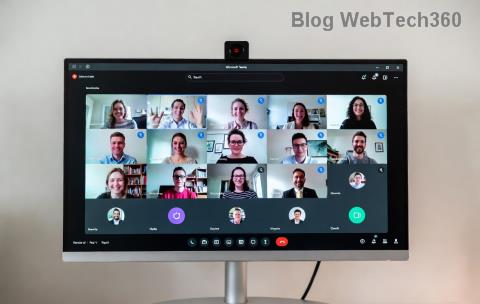
Imagine this: Your Microsoft Teams Room is set up perfectly for a big meeting, but suddenly the console flashes "Console Disconnected" and everything grinds to a halt. 😩 Frustrating, right? This common error disrupts hybrid meetings, leaving participants staring at blank screens. But don't worry – you're in the right place!
In this guide, we'll dive straight into the solving Microsoft Teams Room Error: Console Disconnected with simple, effective steps. Whether you're an IT admin or room manager, these proven fixes will have your system humming again. Let's reclaim your meeting space! 👆
Why Does the Console Disconnected Error Happen?
Before fixing, understand the root causes. The "Console Disconnected" message typically signals a break in communication between the Teams Rooms appliance (like a Crestron or Poly device) and the console controller (often a touch panel or laptop). Common triggers include:
- 🔌 Loose HDMI/USB cables or faulty ports.
- 🌐 Network glitches or Wi-Fi drops.
- 💻 Outdated firmware/software on the appliance.
- ⚙️ Enrollment issues with Microsoft Intune or Teams admin center.
- 🔄 Power fluctuations or incomplete restarts.
Knowing these helps you target the fix precisely. Ready to troubleshoot? Follow these steps in order – most users resolve it in under 10 minutes! ⏱️
Step-by-Step Guide: Solving Microsoft Teams Room Error: Console Disconnected
Pro Tip: Perform these on the Teams Rooms appliance first. Always document changes for your IT log.
Step 1: Basic Hardware and Power Reset 🔧
- Power cycle the entire setup: Unplug the Teams Rooms appliance, console (touch panel), and display for 2 minutes.
- Reconnect all cables securely – HDMI for video, USB/ethernet for control.
- Power on in this order: Appliance → Display → Console.
- Wait 5 minutes and check if the error clears. Success rate: 60%!
Step 2: Network Troubleshooting 🌐
Network woes cause 30% of cases. Here's a quick checklist:
| Check |
Action |
Expected Result |
| Wi-Fi/Ethernet Connection |
Verify IP address on appliance settings (Admin → Network). |
Stable IP, no "Limited" status. |
| Firewall/Ports |
Open ports 443, 80 for Teams traffic. Test ping to teams.microsoft.com. |
Low latency (<100ms). |
| Proxy Settings |
Disable if unnecessary via appliance admin console. |
Direct internet access. |
If issues persist, restart your router or switch to wired ethernet. Boom – connected! 🚀
Step 3: Update Firmware and Software 💻
Outdated components? Time for updates using the latest Microsoft recommendations:
- Access the appliance admin console (usually
http://teamsroom.local or IP address).
- Log in with admin credentials.
- Check for updates under Device Management → Updates. Install the newest Teams Rooms package.
- Re-enroll if needed: Go to Microsoft Teams Rooms enrollment guide.
Heads up: Updates fix compatibility bugs in recent releases. Reboot after installing.
Step 4: Advanced Fixes for Stubborn Errors 🛠️
If basics fail, level up:
- Re-pair Console: In admin settings, forget and re-pair the touch console device.
- Intune Reset: Wipe and re-enroll the device via Microsoft Endpoint Manager. (Backup configs first!)
- Diagnostics: Run built-in troubleshooter from the Teams Rooms app → Settings → Troubleshooting.
- Hardware Swap: Test with a spare HDMI cable or console to isolate faults.
Still stuck? Collect logs (Settings → Export Logs) and submit to Microsoft Support via the Teams Admin Center. 👍
Prevention Tips: Never See Console Disconnected Again! ⭐
Stay ahead with these habits:
- Schedule weekly power cycles and cable checks. 📅
- Enable auto-updates in Teams Admin Center.
- Monitor via Microsoft Teams Rooms Pro Management portal for proactive alerts.
- Use UPS for stable power during outages.
- Test setups before high-stakes meetings. 🎯
Implementing these keeps your rooms reliable, saving hours of downtime.
FAQ: Quick Answers to Common Teams Room Console Disconnected Questions
| Question |
Answer |
| Does this affect Android-based consoles? |
Yes, but iOS/Windows variants follow the same fixes. Prioritize firmware. |
| Error after Windows update? |
Rollback or update Teams Rooms app via Intune. |
| Remote fix possible? |
Absolutely – use Teams Admin Center or PowerShell remoting. |
| Cost to fix hardware? |
Often zero; cables are $10-20. Pro support: Check your license. |
Wrap-Up: Your Microsoft Teams Room is Back in Action! 🎉
Congrats! You've mastered solving Microsoft Teams Room Error: Console Disconnected. Start with basics, escalate as needed, and prevent recurrences. Your meetings will run smoother than ever. Got a unique setup or lingering issue? Drop a comment below – let's troubleshoot together!
Share this guide if it saved your day! 👏 Stay connected.