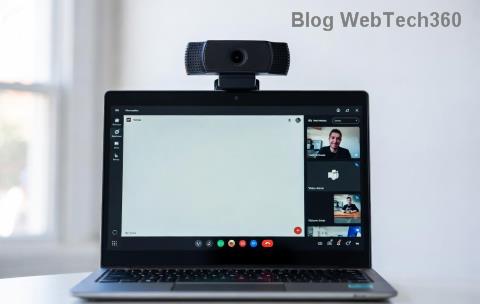
Staying ahead in your daily collaborations starts with a smooth Microsoft Teams update. In 2026, the latest version brings AI-powered meeting insights, enhanced security, and seamless integrations that make teamwork feel effortless. Whether you're on desktop, mobile, or web, updating is quick and unlocks productivity boosts you'll love. Ready to dive in? Let's get your Microsoft Teams up to speed! 👍
Why You Should Update Microsoft Teams Right Now
The latest version of Microsoft Teams in 2026 isn't just a patch—it's a game-changer. Expect faster performance, smarter Copilot features for real-time summaries, and improved battery life on mobile. Skipping updates means missing out on critical security fixes and new tools like advanced breakout rooms or loop components. Plus, it ensures compatibility with the newest Windows, macOS, iOS, and Android releases.
Fun fact: Teams auto-updates by default, but manual checks guarantee you're always on the cutting edge. Feel the excitement of glitch-free calls and instant file sharing—your team will thank you! ⭐
Step 1: Check Your Current Microsoft Teams Version
Before updating, know where you stand. Here's how:
- Open Microsoft Teams.
- Click your profile picture (top right) → Check for updates.
- A pop-up shows your version number (e.g., 24124.xxxx.xx or newer in 2026).
If it's not the latest version, proceed. Pro tip: Compare against official release notes for the freshest builds.
How to Update Microsoft Teams on Desktop (Windows & Mac)
Desktop users, this is your powerhouse setup. New Teams (the default in 2026) handles updates seamlessly.
Automatic Update (Easiest Way) ✅
- Teams checks for updates every few hours when idle.
- Restart the app to apply—done in seconds!
Manual Update Steps
- Launch Microsoft Teams.
- Profile icon → Check for updates.
- If available, hit Update now or Download and install.
- Wait 1-2 minutes, then restart. Voila! 🎉
Via Microsoft Store (Windows 11/2026 builds):
- Open Microsoft Store → Library (bottom left).
- Find Teams → Update.
For Mac: App Store or direct download from Microsoft's official site.
| Platform |
Update Method |
Time Taken |
Best For |
| Windows |
Profile → Check updates / Microsoft Store |
1-3 mins |
Daily users |
| Mac |
Profile → Check updates / App Store |
2-5 mins |
Apple ecosystem |
Updating Microsoft Teams on Mobile (iOS & Android)
Mobile keeps you connected on the go. In 2026, expect haptic feedback for notifications and AR meeting previews in the latest version.
iOS (iPhone/iPad)
- Open App Store.
- Search Microsoft Teams → Tap Update. 📱
Android
- Google Play Store → Profile → Manage apps & device.
- Find Teams → Update.
Enable auto-updates in store settings for zero hassle. Battery saver? Updates happen over Wi-Fi only.
Update Microsoft Teams Web Version
No install needed! Browser-based Teams (teams.microsoft.com) auto-pulls the latest version.
- Log in at teams.microsoft.com.
- Right-click Teams icon (browser toolbar) → Check for updates.
- Refresh the page—new features load instantly. 🌐
Ideal for shared computers or quick access. Pro: Always current. Con: Needs internet.
For IT Admins: Enterprise Teams Update in 2026
Managing fleets? Use Microsoft 365 Admin Center.
- Login to admin.microsoft.com.
- Teams → Teams apps → Manage apps.
- Select Microsoft Teams → Update to latest or schedule rollout. ⚙️
Enable auto-update policies via PowerShell for zero-touch deployment. Reference: Microsoft Docs on Teams Management.
Troubleshooting Common Microsoft Teams Update Issues
Stuck? Don't worry—quick fixes ahead:
- Error: "Update failed" → Close Teams fully (Task Manager), retry. 🔧
- Slow download → Switch to Wi-Fi, disable VPN.
- Old version persists → Uninstall/reinstall from official site.
- Corporate block → Contact IT admin.
Still issues? Clear cache: Windows (%appdata%\Microsoft\Teams), then relaunch.
Unlock the Power: What's New in 2026 Latest Teams Version
Post-update perks:
- AI Companion for live captions in 50+ languages.
- Mesh avatars for fun virtual meets. 😎
- One-click file versioning.
Your workflow just leveled up—share this guide with your team!
Final Thoughts: Stay Updated, Stay Ahead!
Updating Microsoft Teams to the latest version in 2026 takes minutes but delivers massive wins. Follow these steps, and you'll enjoy smoother chats, smarter tools, and unbreakable security. Set reminders for monthly checks, and explore Teams settings for personalized updates.
Questions? Drop a comment below. Happy teaming! 👏 Bookmark this for next time—you've got this!