How to Make WhatsApp Stickers With Sound on Android and iPhone
Follow these 5 steps to check sound sticker access, create and send one, and troubleshoot playback on Android or iPhone.
A lost connection does not have to end a short gaming break. Microsoft Edge includes a small, browser-based surprise that can work when you are offline: the Surf game. It is an endless-runner style surfing game built into Edge, with waves, obstacles, and a pursuing Kraken. It is easy to overlook because it is not a regular website or a game that you need to find in a search result.
For players looking for offline games on Microsoft Edge, the key distinction is that Surf is designed to remain accessible without an internet connection, while many other browser games depend on a live website, account, advertisements, or remote game assets. Edge also has online gaming and gaming-assistance features, but these are not interchangeable with an offline game. Knowing what works locally helps you choose the right option before a flight, commute, or outage.
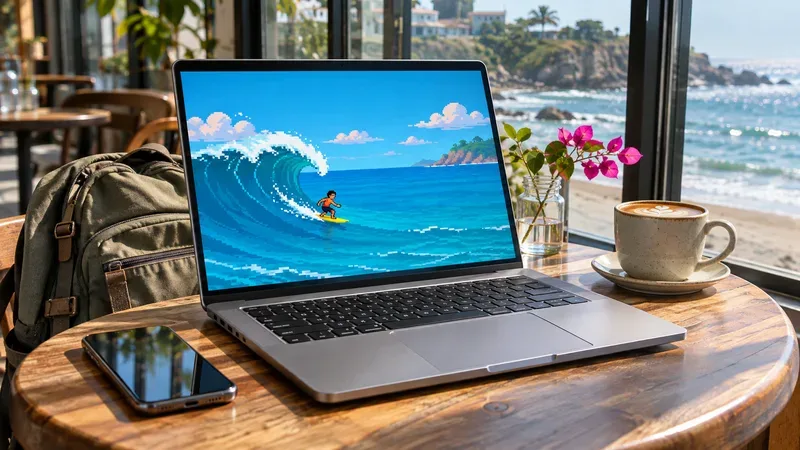
edge://surf, and press Enter or Go.Microsoft’s current Surf feature page gives edge://surf as the direct entry point and describes the game as playable offline. It also lists three modes: Endless, Time Trial, and Zig Zag. Keyboard and mouse, touch, and several game controllers are supported, although availability can vary by device, market, and browser version. The page does not promise that every Edge build or managed device will expose the feature in precisely the same way, so opening the built-in address is the most direct check.
Surf is useful because it is quick to launch and does not require you to hunt for a separate game site once it is available in the browser. Endless mode is for travelling as far as possible while avoiding obstacles and the Kraken. Time Trial asks you to finish a fixed course quickly, and coins can reduce the time. Zig Zag rewards consecutive passes through gates. Those distinct goals give the game a little more variety than a single endless run.
Use the settings menu to change modes and adjust options. Microsoft lists high-visibility and reduced-speed settings for players who want obstacles to stand out or prefer a more relaxed pace. If you are on a touchscreen, use touch controls; on a computer, keyboard and mouse are available. A controller may be convenient on a compatible device, but Microsoft notes that feature availability can differ, so check what your version offers rather than assuming every controller works on every platform.
It is tempting to treat “works in a browser” and “works offline” as the same thing. They are not. A browser game hosted on an independent website may need a network connection to load its page, download assets, verify a session, or save progress. A page that was open before a connection dropped might continue temporarily, but that behavior depends on how the site was built and cached. Do not rely on it for a trip unless you have confirmed the game launches offline.
Edge Surf is the clearest option in this topic because Microsoft explicitly describes it as playable offline. This does not mean Edge can browse the web without a connection, nor that all games in an Edge Games menu are offline. The Games menu has offered casual and arcade titles, but a catalog or shortcut alone does not establish that each title runs without network access. Treat individual games as online unless their publisher clearly confirms offline support.
If edge://surf does not load, the cause is not necessarily your connection. First check the exact address: it is a browser-internal page, not a search query or a standard web address. Make sure you are in Microsoft Edge rather than another browser. An outdated installation, a device policy, a restricted profile, or a platform difference may also affect access. Update Edge when you have a connection, restart the browser, and try the address again.
If the game opens but behaves strangely, close unnecessary tabs and reload the internal page. On a managed school or work computer, an administrator may restrict browser features; changing policy settings yourself may not be possible. On mobile, confirm that you are using the Edge app and its current version. These are troubleshooting possibilities, not confirmed explanations for every failure: the specific cause depends on the device and configuration.
Microsoft Edge Game Assist is an in-game browser widget for Windows 11, opened through Xbox Game Bar with Windows + G. It helps players look up guides and access web services while a PC game is running. Microsoft’s May 29, 2025 announcement described it as generally available on Windows 11, and its support FAQ says Game Assist is included with Edge 137 or later on supported Windows 11 editions, with current Windows and Game Bar updates required. Because it brings web content into a game, it should not be mistaken for an offline-game catalog; guides, streams, chat, and many pages still need an internet connection.
edge://surf once to make sure the feature is available on your device.Microsoft’s current Surf page continues to present the game and its offline use; the official sources checked for this article showed no newly announced change to that availability. The clearest takeaway is simple: start with edge://surf when you want a quick offline game in Microsoft Edge, and treat other browser games as connection-dependent until their publishers confirm otherwise.
Follow these 5 steps to check sound sticker access, create and send one, and troubleshoot playback on Android or iPhone.
Follow these 5 steps to find the right WhatsApp tool, restore sticker creation, and share audio separately when no audio button appears.
Fix Microsoft Edge flickering with practical checks for graphics acceleration, extensions, display drivers, and Windows so you can isolate the cause safely.
Fix the Microsoft Edge SSL version or cipher mismatch error with safe checks for TLS settings, certificates, VPNs, Windows time, and site configuration.
Fix the WebView2 Runtime already installed error in Microsoft Edge with checks, official installers, and steps to distinguish runtime faults from app issues.
Fix Microsoft Edge video stuttering with practical checks for GPU acceleration, drivers, codecs, extensions, network buffering, and display settings.
Fix the Edge sync unavailable error by checking account access, browser policies, profile sign-in, and safe resync steps for personal or work accounts.
Learn how to capture full-page screenshots in Microsoft Edge, use DevTools when Screenshot is missing, and troubleshoot policy or menu changes.