The world of smartphones is ever-evolving, and Samsung is at the forefront of innovation with its Galaxy Z Fold series. The latest addition to this lineup, the Galaxy Z Fold 5, is a testament to Samsung’s commitment to pushing the boundaries of technology. Let’s dive into the details of this fascinating device.
Contents
Design and Build
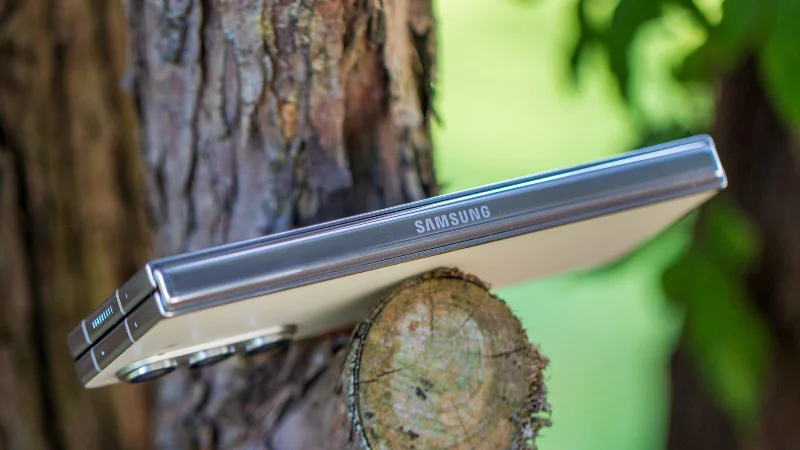
The Galaxy Z Fold 5 continues the legacy of its predecessors with a sleek and futuristic design. The phone features a robust hinge mechanism that allows it to fold seamlessly, transforming from a compact device into a mini-tablet.
At first glance, it might not seem as though there’s much of a difference between the Galaxy Z Fold 5 and its predecessor, the Galaxy Z Fold 4. However, that couldn’t be further from the truth as Samsung completely redesigned the hinge with the Z Fold 5, making it possible to close completely flat.
In doing so, this made it possible for Samsung to make its flagship foldable phone slimmer and lighter. It weighs 253 grams and measures just 13.4mm when closed, compared to the 263 grams and 15.8mm width of the Galaxy Z Fold 4.
Specs Overview
- Cover Display: 6.2″, 2316 x 904 resolution, 120Hz, OLED
- Main Display: 7.6″, 2176 x 1812 resolution, 120Hz, OLED
- Processor: Qualcomm Snapdragon 8 Gen 2 for Galaxy
- RAM: 12GB
- Storage: 256GB, 512GB, 1TB
- Front Camera (Cover Screen): 10MP f/2.2 cover display camera (85˚ FoV, 1.22μm pixels)
- Front Camera (Main Screen): 4MP f/1.8 under-display camera (80˚ FoV, 2.0μm pixels)
- Rear Cameras:
- Primary: 50MP f/1.8 wide-angle (85˚ FoV, OIS, 1.0μm pixels
- Secondary: 12MP f/2.2 ultra-wide (123˚ FoV, 1.12μm pixels)
- Tertiary: 10MP f/2.4 telephoto (36˚ FoV, OIS, 1.0μm pixels)
- Battery: 4,400mAh
- Charging: 25W Super Fast Charging wired, 15W wireless (Qi), 4.5W reverse wireless charging
- Connectivity: 5G (sub-6GHz, mmWave), Wi-Fi 6E, Bluetooth 5.3, NFC
- Dimensions: 67.1 x 155 x 13 mm folded, 130 x 155, 6.1 mm unfolded
- Weight: 253g
Exterior Display
When folded, the Galaxy Z Fold 5 offers a 6.2-inch AMOLED cover display with a resolution of 2316 x 904 pixels. This screen is perfect for quick interactions, checking notifications, or making calls.
Interior Display
Unfolding the device reveals a stunning 7.6-inch AMOLED main display with a resolution of 2176 x 1812 pixels. This screen offers a 120Hz refresh rate, providing a smooth and immersive experience whether you’re browsing the web, watching videos, or playing games.
Performance and Hardware
Under the hood, the Galaxy Z Fold 5 is powered by the latest Qualcomm Snapdragon 8 Gen 2 processor, coupled with 12GB of RAM. This ensures a snappy and responsive experience, even when multitasking or running demanding applications.
Storage Options
The device comes in three storage variants: 256GB, 512GB, and 1TB. All of these options provide ample space for all your apps, media, and files. Unfortunately, you still won’t find a microSD card slot, which is still rather disappointing to see especially when it’s found on Samsung’s Galaxy Tab S9 lineup.
Battery Life
Equipped with a 4,400mAh battery, the Galaxy Z Fold 5 promises all-day battery life. The phone also supports fast charging, wireless charging, and reverse wireless charging, offering flexibility in keeping the device powered up. According to Samsung, you’ll be able to recharge the Fold 5 back up to 50% in about 30 minutes, provided that you are using a 25W wired charger. Traditional Qi wireless charging speeds top out at 15W, while reverse wireless charging is capped at 4.5W.
Camera System

The Galaxy Z Fold 5 boasts a versatile camera system that caters to both casual photographers and professionals.
Rear Cameras
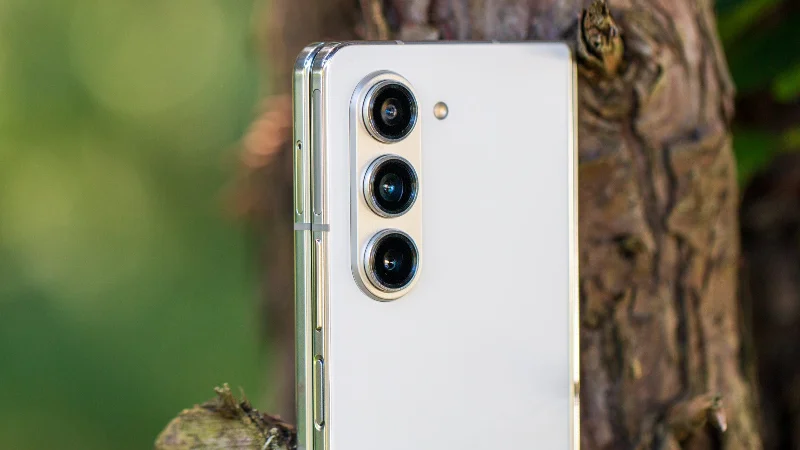
The triple-camera setup on the back includes a 50MP wide sensor, a 12MP ultra-wide sensor, and a 10MP telephoto sensor. Together, these cameras offer a range of shooting modes, including Night Mode, Super Steady Video, and Single Take.
Front Cameras
The device features a 10MP selfie camera on the cover display and a 4MP under-display camera on the main screen. These cameras provide high-quality selfies and video calls.
Software and Features
Running on Android with Samsung’s One UI, the Galaxy Z Fold 5 offers a plethora of unique features that take advantage of the foldable design. Multi-Window View allows users to run multiple apps simultaneously, while Flex Mode provides new ways to interact with the device.
The taskbar at the bottom has also been improved, making it possible to hold up to 12 apps at the same time. This makes it easier than ever to quickly switch between apps, or open an app in Multi-Window View without closing the app that you’re already using.
Another useful feature comes to those who are picking up both the Galaxy Z Fold 5 and the Galaxy Tab S9. Multi Control is a new feature that lets you use a keyboard and mouse across both devices. This is similar to Apple’s Universal Control which makes it possible to use an iPad and Mac as though they are essentially the same device.
Out of the box, the Galaxy Z Fold 5 is running One UI 5.1.1 based on Android 13. This means that you’ll get four years of major Android updates (up to Android 17,) along with five years of security patches (until 2028.)
S Pen Support

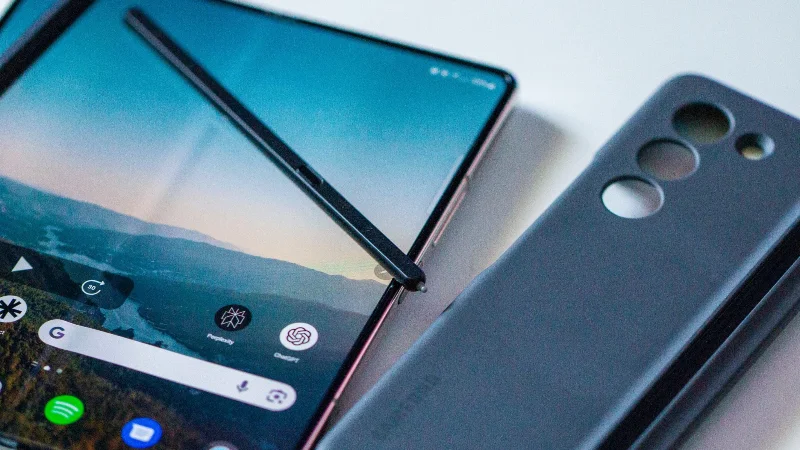
Much like the two previous models that came before it, the Galaxy Z Fold 5 supports the S Pen, allowing users to jot down notes, sketch, and more with precision. However, Samsung has introduced an all-new S Pen Fold Edition, offering a different experience compared to the previous model.
This new S Pen is equipped with a pen tip that is 1.5mm wide, but still supports up to 4,096 pressure levels. It’s also dust- and water-resistant, while featuring a dedicated button to access and use Air Command.
With Air Command, you’ll be able to perform a variety of tasks and gives you access to different shortcuts. This includes things such as being able to quickly jot down some notes in Samsung Notes, capture a screenshot and add annotations, or even translate languages with the help of Bixby.
Unfortunately, this new S Pen is not included with the Galaxy Z Fold 5. Instead, you’ll need to either purchase the S Pen separately, or you can grab the new Galaxy Z Fold 5 S Pen case.
Conclusion
The Samsung Galaxy Z Fold 5 is a remarkable device that showcases the potential of foldable technology. With its innovative design, powerful performance, and feature-rich software, it’s a compelling option for those looking to experience the future of smartphones.
Whether you’re a tech enthusiast or simply in search of a unique and versatile device, the Galaxy Z Fold 5 is worth considering. Its blend of form and function sets a new standard in the world of foldable phones, making it a standout choice in today’s market.