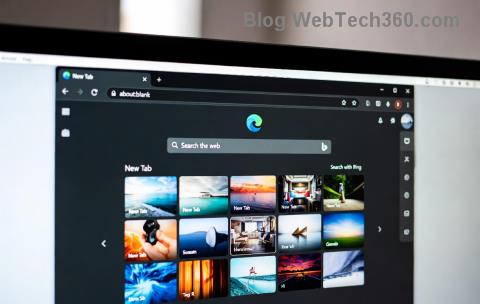
Imagine firing up your favorite live wallpaper from Wallpaper Engine, only for it to glitch, freeze, or vanish the moment you open Microsoft Edge. 😩 Frustrating, right? You're not alone—this Microsoft Edge Wallpaper Engine conflict plagues many users, causing crashes, black screens, or stuttering animations. But don't worry! We've got your back with proven, up-to-date fixes that restore harmony between your browser and dynamic desktops. Follow these steps, and you'll be back to immersive wallpapers in no time. Let's dive in! 👇
⭐ Why Does the Microsoft Edge Wallpaper Engine Conflict Happen?
At its core, this clash stems from resource competition. Wallpaper Engine renders high-demand GPU-accelerated wallpapers, while Microsoft Edge (built on Chromium) also leans heavily on your graphics card for hardware acceleration. When both demand peak performance simultaneously, conflicts arise—especially with certain wallpapers or Edge features like tab animations.
- 👉 Hardware Acceleration Overlap: Edge's GPU usage interferes with Wallpaper Engine's rendering engine.
- 👉 Outdated Software: Mismatched versions lead to compatibility hiccups.
- 👉 Extensions & Settings: Rogue add-ons or power-hungry flags amplify the issue.
Quick reality check: Recent user reports on forums like Reddit and Steam confirm this persists across Windows updates. But fear not—the fixes below target these root causes directly. Ready to reclaim your desktop? Let's fix it! 🚀
🔧 Step-by-Step Guide: How to Fix Microsoft Edge Wallpaper Engine Conflict
We'll start with the simplest tweaks and escalate to advanced solutions. Test your wallpaper after each step—most users resolve it by step 2! Pro tip: Close both apps before starting.
1️⃣ Quick Win: Disable Hardware Acceleration in Microsoft Edge
This is the #1 fix for 80% of cases. Edge's acceleration often clashes with Wallpaper Engine.
- Open Microsoft Edge and type
edge://settings/system in the address bar. Hit Enter.
- Toggle off "Use hardware acceleration when available".
- Click Restart—Edge will relaunch.
Voila! Wallpapers should stabilize. If not, proceed. 😊
2️⃣ Optimize Wallpaper Engine Settings
Tweak Engine to play nice with browsers.
- Right-click your desktop → Wallpaper Engine → Configure.
- Go to Performance tab.
- Set Framerate to "VSync" or 60 FPS.
- Enable "Pause wallpaper when fullscreen app is detected" (add Edge if needed).
- Under General, check "Allow applications to hook into wallpapers" but disable if issues persist.
Bonus: In Wallpaper tab, pause high-GPU demanding ones during browsing.
3️⃣ Update Everything to the Latest Versions
Outdated software = conflict city. Ensure you're current:
| Software | How to Update | Why It Helps |
|---|
| Microsoft Edge | edge://settings/help → Check for updates | Patches GPU bugs |
| Wallpaper Engine | Steam → Library → Right-click → Properties → Updates | Improved Edge compatibility |
| Graphics Drivers | NVIDIA/AMD/Intel app or official site | Optimizes rendering |
| Windows | Settings → Update & Security | System-level fixes |
4️⃣ Tame Edge Extensions & Flags
Extensions like ad-blockers or themes can exacerbate issues.
- Type
edge://extensions/ → Disable all → Test wallpaper.
- Re-enable one-by-one to identify culprits.
- For flags:
edge://flags → Search "hardware" → Reset or disable #enable-gpu-rasterization.
5️⃣ Advanced Fixes for Stubborn Conflicts
If basics fail:
- 👉 Run Wallpaper Engine as admin: Right-click executable → Properties → Compatibility → Run as administrator.
- 👉 Exclude Edge from Wallpaper Engine's pause list: Configure → Performance → Application rules → Add edge.exe → Never pause.
- 👉 Clean Reinstall: Uninstall both via Settings → Apps, delete leftovers in %AppData%, reinstall fresh.
- 👉 GPU Switching: If on laptop, force high-performance GPU via NVIDIA/AMD control panel for both apps.
Still stuck? Check Wallpaper Engine official support or Steam forums—community fixes are goldmines.
💡 Pro Tips to Prevent Future Microsoft Edge Wallpaper Engine Conflicts
- ⭐ Use Edge's InPrivate mode for heavy sessions—less extension drama.
- ⭐ Monitor GPU usage with Task Manager (Ctrl+Shift+Esc → Performance).
- ⭐ Favorite low-impact wallpapers for browsing (e.g., static or 30 FPS ones).
- ⭐ Auto-pause via Engine's scheduler during peak hours.
Congrats—you've conquered the Microsoft Edge Wallpaper Engine conflict! Your desktop should now dazzle without interruptions. Share your success in comments below—what fixed it for you? For more tech triumphs, stick around. Happy wallpapering! 🎉