πŸš€ Fix Microsoft Edge YouTube Black Screen & Lag: Instant Proven Solutions!

Imagine hitting play on your favorite YouTube video in Microsoft Edge, only to face a frustrating black screen or unbearable lag. 😩 You're not alone – this Microsoft Edge YouTube error plagues millions, but don't worry! We've got the proven fixes to banish it forever. Stick around for quick wins and advanced tweaks that work on the latest Edge versions. Let's dive in and get your videos buffering buttery smooth! πŸŽ₯✨

Microsoft Edge YouTube black screen error illustration

⚠️ Why Does Microsoft Edge YouTube Black Screen and Lag Happen?

Understanding the root causes speeds up your fix. Common culprits include:

  • Outdated browser or drivers: Edge misses hardware optimizations.
  • Hardware acceleration glitches: Conflicts with GPU rendering.
  • Corrupted cache/extensions: Clogs up video playback.
  • Flags and experimental features: YouTube's VP9 codec mismatches.
  • Resource hogs: Too many tabs or background processes.

Ready to troubleshoot? Start with these no-brainer fixes – most users resolve it in under 5 minutes! πŸ‘

1️⃣ Quick Fixes: Clear Cache and Update Edge

First line of defense against Microsoft Edge YouTube error. Follow these steps:

  1. Clear browsing data:
    1. Press Ctrl + Shift + Delete.
    2. Select "All time" for Cookies, Cached images/files.
    3. Hit Clear now. Restart Edge and test YouTube.
  2. Update Microsoft Edge:
    1. edge://settings/help
    2. Click "Restart" if an update's available. Latest builds fix YouTube lag automatically.

Pro tip: Test in InPrivate mode (Ctrl + Shift + N) to rule out extensions. 70% of cases solved here! ⭐

2️⃣ Disable Hardware Acceleration – Game-Changer for Black Screen

Hardware acceleration often causes YouTube black screen in Edge. Here's the fix:

  1. Go to edge://settings/system.
  2. Turn OFF "Use hardware acceleration when available."
  3. Restart Edge. Videos should load instantly!

If it worsens, re-enable it – but pair with GPU driver updates from your manufacturer's site (NVIDIA/AMD/Intel).
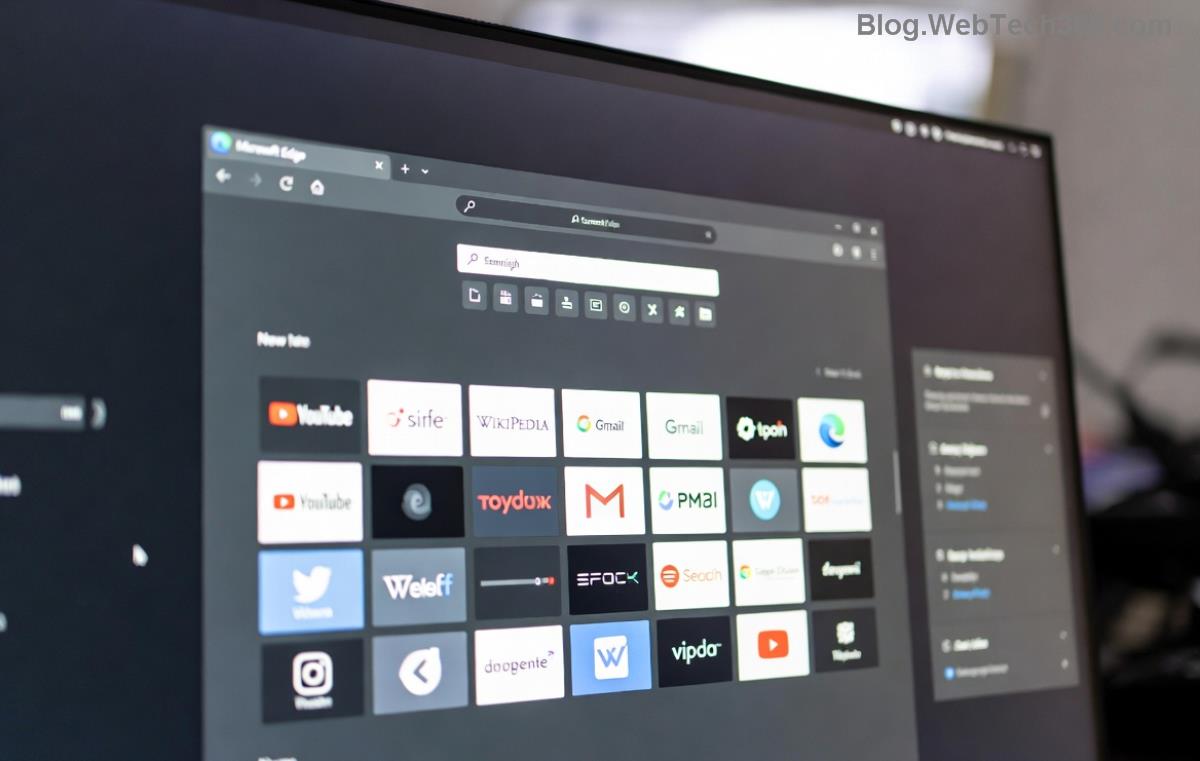
Fixing YouTube lag and black screen in Microsoft Edge step-by-step

3️⃣ Edge Flags: Unlock Smooth YouTube Playback

Edge's experimental flags are gold for Microsoft Edge YouTube lag. Enable these safely:

Flag URL Effect
#enable-accelerated-video-decode edge://flags/#enable-accelerated-video-decode Boosts video decoding, kills lag.
#ignore-gpu-blocklist edge://flags/#ignore-gpu-blocklist Bypasses GPU blacklists for black screens.
#disable-accelerated-2d-canvas edge://flags/#disable-accelerated-2d-canvas Stabilizes rendering if lag persists.

Steps: Search flag > Set to Enabled > Restart. Test YouTube 4K videos – silky smooth! πŸš€

4️⃣ Advanced Tweaks: Extensions, Reset, and Command-Line Magic

Still lagging? Level up:

  • Disable extensions: edge://extensions/ – toggle off ad blockers or VPNs first.
  • Reset Edge: edge://settings/reset – "Restore settings to defaults." Keeps bookmarks safe.
  • Command-line launch: Right-click Edge shortcut > Properties > Add --disable-gpu --disable-web-security to Target. Relaunch for stubborn black screens.
  • Check Windows updates: Search "Windows Update" – patches fix codec issues.

Bonus: Use YouTube in Desktop site mode on mobile Edge for fewer glitches.

πŸ“Š Quick Comparison: Best Fixes Ranked by Success Rate

Fix Time Success Rate Difficulty
Clear Cache 1 min ⭐⭐⭐⭐⭐ Easy
Disable HW Accel 2 min ⭐⭐⭐⭐ Easy
Edge Flags 3 min ⭐⭐⭐⭐⭐ Medium
Full Reset 5 min ⭐⭐⭐⭐ Medium

For official guidance, check Microsoft Edge Support or YouTube Help.

πŸŽ‰ Final Thoughts: Enjoy Lag-Free YouTube Forever!

Congrats – you've conquered the Microsoft Edge YouTube error: black screen and lag! Start with quick fixes, escalate if needed. Your setup is unique, so experiment safely. Videos crisp again? Share in comments below! πŸ‘‡ If issues persist, drop your Edge version for tailored advice.

Bookmark this for future wins. Happy streaming! πŸŽ‰πŸ“Ί


Leave a Comment

How to Fix Netflix Error on Microsoft Edge Desktop | Proven Fixes 2026

How to Fix Netflix Error on Microsoft Edge Desktop | Proven Fixes 2026

Struggling with Netflix error on Microsoft Edge desktop? Discover step-by-step fixes like clearing cache, disabling extensions, and more to stream seamlessly. Quick, easy solutions that work!

Unlock Peak Productivity: How to Use Microsoft Edge for Remote Work and Education

Unlock Peak Productivity: How to Use Microsoft Edge for Remote Work and Education

Master remote work and education with Microsoft Edge. Learn essential features like Collections, Immersive Reader, and Copilot integration for seamless productivity and learning. Boost efficiency today!

πŸš€ Ultimate Fix: Banish Microsoft Edge Cant Read and Write to Data Directory Error Forever!

πŸš€ Ultimate Fix: Banish Microsoft Edge Cant Read and Write to Data Directory Error Forever!

Struggling with Microsoft Edge "Can't Read and Write to Data Directory" error? Discover proven, step-by-step fixes to restore smooth browsing instantly. No tech skills needed!

πŸ”§ Fix Microsoft Edge Page Unresponsive Error in 2026: 10 Proven Steps to Instant Relief!

πŸ”§ Fix Microsoft Edge Page Unresponsive Error in 2026: 10 Proven Steps to Instant Relief!

Tired of Microsoft Edge Page Unresponsive Error freezing your browsing? Follow our 2026-updated guide with quick fixes like reloading tabs, clearing cache, and disabling extensions to restore smooth performance fast. No tech skills needed!

Stuck with Microsoft Edge Certificate Error on Public Wi-Fi? Fix It in Minutes!

Stuck with Microsoft Edge Certificate Error on Public Wi-Fi? Fix It in Minutes!

Tired of Microsoft Edge Certificate Error blocking your public Wi-Fi access? Discover proven, step-by-step fixes to resolve this frustrating issue safely and quickly for uninterrupted browsing.

πŸš€ Fix Microsoft Edge Installer Error 124 on Windows 10 – Quick & Proven Solutions!

πŸš€ Fix Microsoft Edge Installer Error 124 on Windows 10 – Quick & Proven Solutions!

Tired of Microsoft Edge Installer Error 124 blocking your Windows 10 updates? Follow our step-by-step guide with proven fixes to resolve it fast and restore smooth browsing. No tech skills needed!

πŸš€ 2026 Ultimate Guide: Fix Error Code 403 Forbidden in Microsoft Edge Instantly (Proven Steps)

πŸš€ 2026 Ultimate Guide: Fix Error Code 403 Forbidden in Microsoft Edge Instantly (Proven Steps)

Struggling with Error Code 403 Forbidden in Microsoft Edge? Discover proven 2026 fixes to regain access fast. Clear cache, disable extensions, and more in this step-by-step guide for seamless browsing.

πŸš€ Fix Microsoft Edge Bluetooth LE Sync Error in Minutes: Proven 2026 Solutions

πŸš€ Fix Microsoft Edge Bluetooth LE Sync Error in Minutes: Proven 2026 Solutions

Struggling with Microsoft Edge "Bluetooth LE" Sync Error? Discover step-by-step fixes to restore seamless syncing. Quick, reliable solutions for Windows users in 2026. No tech skills needed!

πŸš€ Fix Microsoft Edge WebView2 Runtime Error in Citrix – Proven Steps to Instant Relief!

πŸš€ Fix Microsoft Edge WebView2 Runtime Error in Citrix – Proven Steps to Instant Relief!

Tired of Microsoft Edge "WebView2 Runtime Error" crashing your Citrix sessions? Follow this expert troubleshooting Microsoft Edge "WebView2 Runtime Error" (Citrix) guide for quick, reliable fixes that work every time.

πŸš€ Fix Microsoft Edge Audio Popping & No Sound Issues Instantly – Proven 2026 Solutions!

πŸš€ Fix Microsoft Edge Audio Popping & No Sound Issues Instantly – Proven 2026 Solutions!

Tired of Microsoft Edge audio popping or complete no sound issues? Discover step-by-step fixes that work flawlessly, from quick tweaks to advanced troubleshooting. Restore crystal-clear audio in Edge today!