The Rise of Machines: Real World Applications of AI

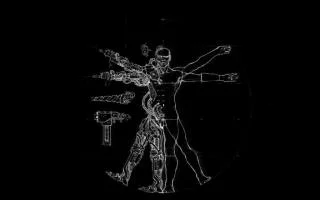
Umelá inteligencia nie je v budúcnosti, je tu priamo v súčasnosti V tomto blogu si prečítajte, ako aplikácie umelej inteligencie ovplyvnili rôzne sektory.
Monica is an open source personal relationship management system. Think of it as a CRM (a popular tool used by sales teams in the corporate world) for your friends or family. Its source code is publicly hosted on GitHub. In this guide, we will go over the installation process of a Monica application.
Check the Debian version.
lsb_release -ds
# Debian GNU/Linux 9.4 (stretch)
Create a new non-root user account with sudo access and switch to it.
adduser johndoe --gecos "John Doe"
usermod -aG sudo johndoe
su - johndoe
NOTE: Replace johndoe with your username.
Set up the timezone.
sudo dpkg-reconfigure tzdata
Ensure that your system is up to date.
sudo apt update && sudo apt upgrade -y
Install the build-essential, curl, git, apt-transport-https, libpng-dev packages.
sudo apt install -y build-essential curl git apt-transport-https libpng-dev
Add the repository for newer versions of PHP.
sudo wget -O /etc/apt/trusted.gpg.d/php.gpg https://packages.sury.org/php/apt.gpg
echo "deb https://packages.sury.org/php/ $(lsb_release -sc) main" | sudo tee /etc/apt/sources.list.d/php.list
sudo apt update
Install PHP 7.2 and required PHP extensions.
sudo apt install -y php7.2 php7.2-cli php7.2-fpm php7.2-common php7.2-mbstring php7.2-xml php7.2-mysql php7.2-curl php7.2-zip php7.2-intl php7.2-bcmath php7.2-gd
Check the version.
php --version

# PHP 7.2.5-1+0~20180505045740.21+stretch~1.gbpca2fa6 (cli) (built: May  5 2018 04:57:44) ( NTS )
# Copyright (c) 1997-2018 The PHP Group
# Zend Engine v3.2.0, Copyright (c) 1998-2018 Zend Technologies
#     with Zend OPcache v7.2.5-1+0~20180505045740.21+stretch~1.gbpca2fa6, Copyright (c) 1999-2018, by Zend Technologies
Install MySQL.
cd /tmp
wget https://dev.mysql.com/get/mysql-apt-config_0.8.10-1_all.deb
sudo dpkg -i mysql-apt-config_0.8.10-1_all.deb
rm mysql-apt-config_0.8.10-1_all.deb
sudo apt update
sudo apt install -y mysql-server
Check the version.
mysql --version
# mysql  Ver 8.0.11 for Linux on x86_64 (MySQL Community Server - GPL)
Run the mysql_secure installation script to improve MySQL security and set the password for the MySQL root user.
sudo mysql_secure_installation
Connect to the MySQL shell as the root user.
sudo mysql -u root -p
# Enter password
Create an empty MySQL database and user for Monica, and remember the credentials.
CREATE DATABASE dbname;
CREATE USER 'username'@'localhost' IDENTIFIED BY 'password';
GRANT ALL PRIVILEGES ON dbname.* TO username@localhost;
FLUSH PRIVILEGES;
EXIT;
Install Nginx.
sudo apt install -y nginx
Check the version.
sudo nginx -v
# nginx version: nginx/1.10.3
Run sudo vim /etc/nginx/sites-available/monica.conf and configure Nginx for Monica.
server {
    listen 80;
    listen [::]:80;

    server_name example.com;
    root /var/www/monica/public;

    index index.php;

    location / {
        try_files $uri $uri/ /index.php?$args;
    }

    location ~ \.php$ {
        include snippets/fastcgi-php.conf;
        fastcgi_pass unix:/var/run/php/php7.2-fpm.sock;
    }
}
Save the file and exit.
Activate the new monica.conf configuration by linking the file to the sites-enabled directory.
sudo ln -s /etc/nginx/sites-available/monica.conf /etc/nginx/sites-enabled/
Test the configuration.
sudo nginx -t
Reload Nginx.
sudo systemctl reload nginx.service
Install Node.js.
curl -sL https://deb.nodesource.com/setup_10.x | sudo -E bash -
sudo apt install -y nodejs
Check the Node.js and NPM versions.
node -v && npm -v
# v10.2.1
# 5.6.0
Install Composer.
php -r "copy('https://getcomposer.org/installer', 'composer-setup.php');"
php -r "if (hash_file('SHA384', 'composer-setup.php') === '544e09ee996cdf60ece3804abc52599c22b1f40f4323403c44d44fdfdd586475ca9813a858088ffbc1f233e9b180f061') { echo 'Installer verified'; } else { echo 'Installer corrupt'; unlink('composer-setup.php'); } echo PHP_EOL;"
php composer-setup.php
php -r "unlink('composer-setup.php');"
sudo mv composer.phar /usr/local/bin/composer
Check the version.
composer --version
# Composer version 1.6.5 2018-05-04 11:44:59
Create an empty document root folder where Monica should be installed.
sudo mkdir -p /var/www/monica
Navigate to the document root folder.
cd /var/www/monica
Change ownership of the /var/www/monica folder to user johndoe.
sudo chown -R johndoe:johndoe /var/www/monica
Clone the Monica repository to it.
git clone https://github.com/monicahq/monica.git .
git checkout tags/v2.1.1
NOTE: Find the latest official version on the releases page on GitHub and update the above version number to the latest release.
Create your own file containing the environment variables required by Monica.
cp .env.example .env
Update the .env file to your specific needs. Don't forget to set DB_USERNAME and DB_PASSWORD with the settings used previously.
Install all packages.
composer install --no-interaction --no-suggest --no-dev --ignore-platform-reqs
Install all the front-end dependencies and tools needed to compile assets.
npm install
Compile the JS and CSS assets.
npm run production
Generate an application key. This will set APP_KEY to the correct value automatically.
php artisan key:generate
Run the migrations and seed the database and symlink folders.
php artisan setup:production
Change ownership of the /var/www/monica directory to www-data.
sudo chown -R www-data:www-data /var/www/monica
The installation is complete. Open your domain in your web browser and follow the instructions shown on screen.
Umelá inteligencia nie je v budúcnosti, je tu priamo v súčasnosti V tomto blogu si prečítajte, ako aplikácie umelej inteligencie ovplyvnili rôzne sektory.
Ste aj vy obeťou DDOS útokov a máte zmätok ohľadom metód prevencie? Ak chcete vyriešiť svoje otázky, prečítajte si tento článok.
Možno ste už počuli, že hackeri zarábajú veľa peňazí, ale premýšľali ste niekedy nad tým, ako môžu zarábať také peniaze? poďme diskutovať.
Chcete vidieť revolučné vynálezy od Google a ako tieto vynálezy zmenili život každého dnešného človeka? Potom si prečítajte na blogu a pozrite si vynálezy spoločnosti Google.
Koncept samoriadených áut vyraziť na cesty s pomocou umelej inteligencie je snom, ktorý máme už nejaký čas. Ale napriek niekoľkým prísľubom ich nikde nevidno. Prečítajte si tento blog a dozviete sa viac…
Ako sa veda vyvíja rýchlym tempom a preberá veľa nášho úsilia, zvyšuje sa aj riziko, že sa vystavíme nevysvetliteľnej singularite. Prečítajte si, čo pre nás môže znamenať singularita.
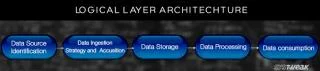
Prečítajte si blog, aby ste čo najjednoduchším spôsobom spoznali rôzne vrstvy architektúry veľkých dát a ich funkcie.
Spôsoby ukladania údajov sa môžu vyvíjať už od zrodu údajov. Tento blog sa zaoberá vývojom ukladania údajov na základe infografiky.
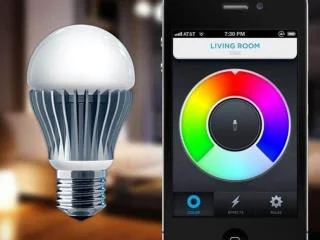
V tomto digitálnom svete sa inteligentné domáce zariadenia stali kľúčovou súčasťou života. Tu je niekoľko úžasných výhod inteligentných domácich zariadení o tom, ako robia náš život, ktorý stojí za to žiť, a ktorý zjednodušujú.
Spoločnosť Apple nedávno vydala doplnkovú aktualizáciu macOS Catalina 10.15.4 na opravu problémov, ale zdá sa, že táto aktualizácia spôsobuje ďalšie problémy, ktoré vedú k blokovaniu počítačov Mac. Prečítajte si tento článok a dozviete sa viac