On Windows 11, you will soon find a new personalization feature known as “Spotlight collection” that allows you to show different background images on the desktop throughout the day, similar to the “Windows spotlight” feature available for the Lock screen.
The feature works by automatically downloading images from the cloud that Windows 11 then uses to refresh the Lock screen and the desktop, depending on how the feature is configured on your computer from the “Personalization” settings section in the Settings app.
The only caveat about this feature is that if you come across a wallpaper you really like, you cannot save it or permanently set it as your background. However, if you see an image you like, there’s a way to retrieve it.
In this guide, you will learn the steps to find and set a Windows Spotlight image as your desktop wallpaper on Windows 11.
Download Spotlight collection images on Windows 11
To find the Spotlight collection images used on your Windows 11 desktop, use these steps:
-
Open File Explorer on Windows 11.
-
Copy and paste this path in the address bar and press Enter:
%USERPROFILE%\AppData\Local\Packages\Microsoft.Windows.ContentDeliveryManager_cw5n1h2txyewy\LocalState\Assets
-
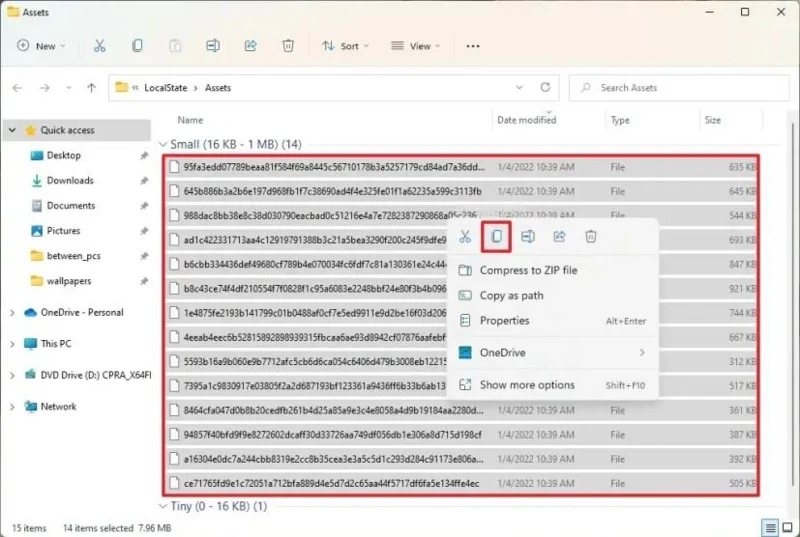
Click the Sort menu, select More, and choose the Size option.
-
Select the files over 500KB.
-
Right-click the selection and choose the Copy option.
-
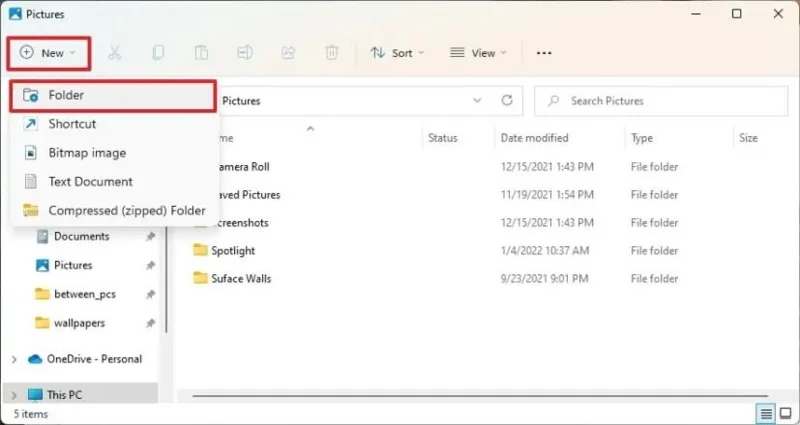
Browse to the Pictures folder.
-
Click the New menu and select the Folder option.

-
Confirm a name for the folder (for example, Spotlight) and open it.
-
Click the Paste button in the command bar (or use the Ctrl + V keyboard shortcut).
-
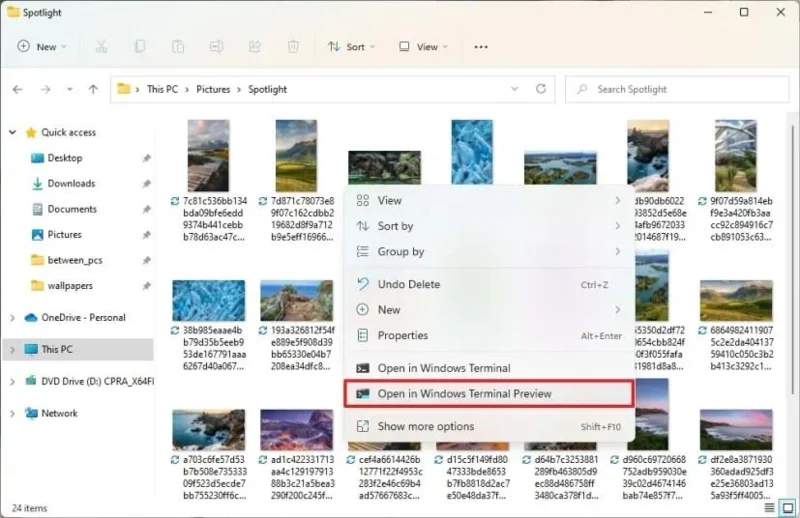
Right-click inside the folder and select the Command Prompt (or Windows Terminal) option.

-
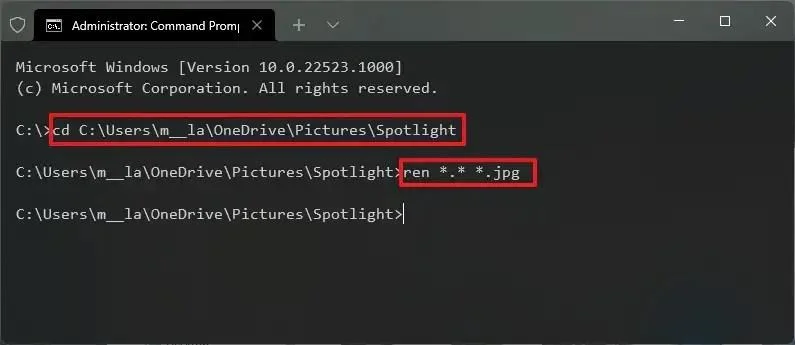
Type the following command to convert the files to .jpg image files and press Enter:
ren *.* *.jpg

Once you complete the steps, you can use the images to set them as more permanent backgrounds for the desktop through the “Background” settings page or in the Lock screen using the “Lock screen” settings page.
The “Spotlight collection” feature for the desktop is available starting with build 22518, but since it uses the same download folder that stores the Windows Spotlight images for the Lock screen, you can use these steps to save all the spotlight images on Windows 11.